Software
What Is monday.com? A No-Code Work OS Explained (2026)
What is monday.com? A no-code Work OS where teams build custom boards for projects, CRM, dev, and service. See how it works, pricing, and who it fits.

Quick answer
monday.com is a cloud-based Work Operating System (Work OS) that lets teams build custom apps to plan, run, and track their work, without code. Everything sits on visual, customizable boards, and the platform now spans four products: work management, CRM, dev, and service.
Key takeaways
- monday.com started in 2012 as daPulse, rebranded in 2017, and went public on Nasdaq (MNDY) in 2021.
- The core building block is the board: rows (items), columns, and groups you shape for any workflow.
- It sells four products on one platform: work management, sales CRM, dev, and service.
- Paid plans start at $9/seat/month (annual), with a 3-seat minimum and bucket-based seat pricing.
- AI now runs on shared credits through monday magic, AI blocks, Sidekick, and agents.
If you have ever asked what is monday.com, the honest answer is that it is not one thing. It began as a project management tool and grew into a flexible platform teams bend to their own shape. That flexibility is the whole point, and also why the product can feel hard to pin down at first glance.
I have run boards for content pipelines, sales handoffs, and hiring. The pattern is always the same. You start with a spreadsheet-like grid, then add automations until the busywork disappears.
Below is the operator's view of what it is, how it works, and where it fits. If you are new to the category itself, our primer on what project management actually involves sets useful context first.
What is monday.com, exactly?
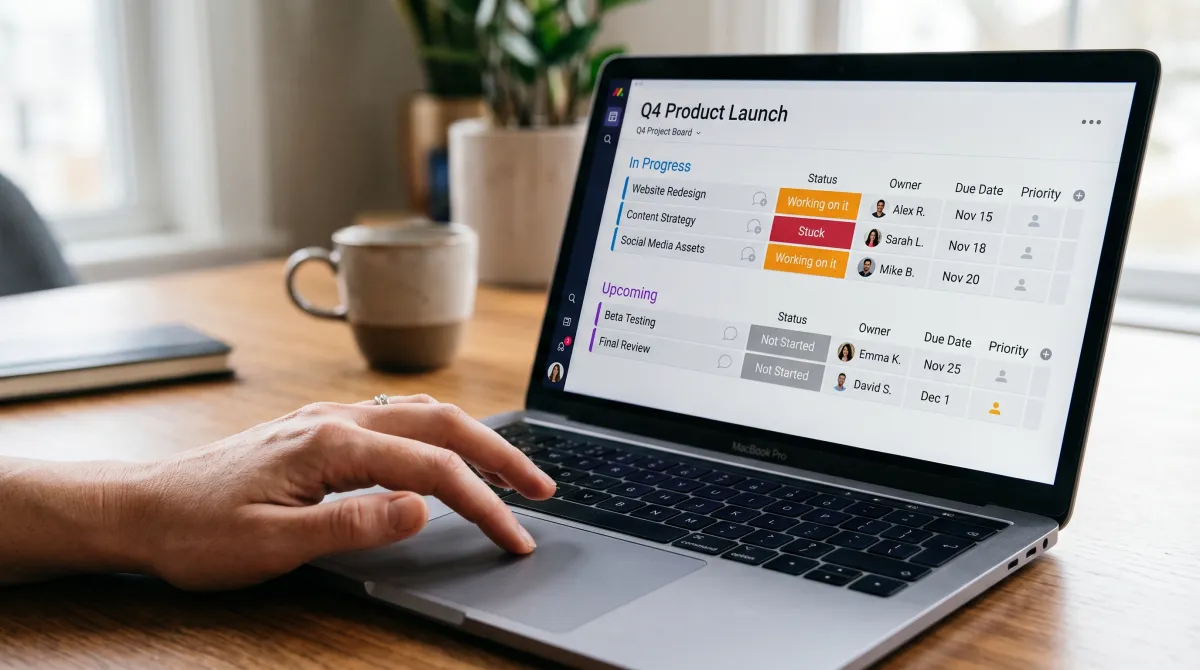
monday.com is a Work OS. Think of it as a no-code framework for building the tools your team needs, rather than a fixed app you have to adapt to. You design the workflow; the platform runs it.
The company describes it as a system where organizations of any size can create custom apps in minutes. In practice, that means one place for tasks, projects, pipelines, tickets, and calendars, all visible and connected.
This is the key difference from a rigid tool. A traditional app tells you how to work. A Work OS lets you decide, then automates the parts you would otherwise do by hand.
monday.com does not tell you how to work; it hands you the parts and lets you build the machine your team actually needs.
How monday.com works: boards, items, and columns
The fundamental building block is the board. A board is a customizable grid where you manage anything, from a sprint backlog to a sales pipeline to a content calendar.
Every board has three parts. Groups organize sections (like "In progress" or "Done"). Items are the rows, each one a task, lead, or ticket. Columns hold the data: status, owner, dates, numbers, files, and more.
Because columns are typed, the board becomes structured data you can filter, sort, and chart. You are not staring at a flat spreadsheet. You are looking at a live database with a friendly face.
- Status columns turn progress into color-coded chips anyone can read at a glance.
- Views let the same data appear as a Kanban board, timeline, Gantt, or calendar.
- Dashboards pull numbers from many boards into charts for a manager's overview.
For a wider look at how these platforms compare on structure and flexibility, see our roundup of team productivity tools.
Automations and integrations
Boards get powerful once you add automations. These are simple "when this, then that" rules: when a status changes to Done, notify the owner and move the item to the archive group.
Automations remove the manual updates that quietly eat a team's day. On the Standard plan and above, you also connect monday.com to Slack, Gmail, HubSpot, and hundreds of other tools through native integrations.
One caveat worth knowing early: the entry-level Basic plan has no automations or integrations. If workflow automation is why you are here, budget for Standard from the start.
The four monday.com products
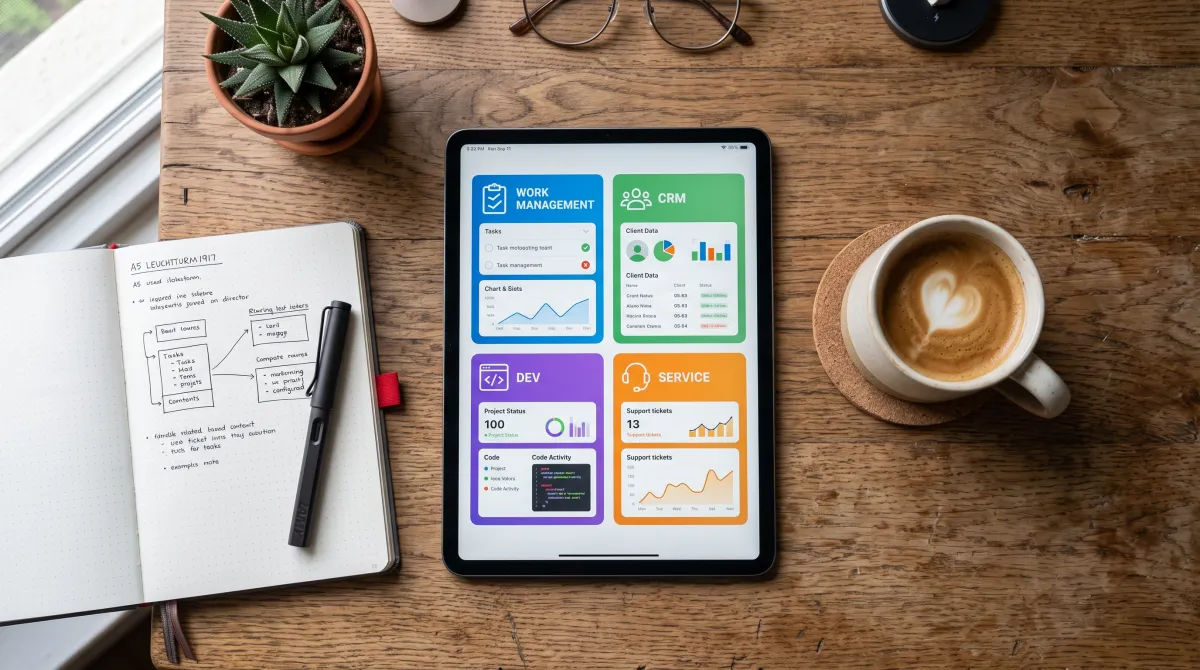
Since 2022, monday.com has been a multi-product company. Each product is built on the same Work OS, so they share the board engine but ship tailored templates and features.
| Product | Built for | Starting price (annual) |
|---|---|---|
| monday work management | Projects, tasks, cross-team collaboration | $9/seat/mo |
| monday CRM | Leads, contacts, sales pipelines | $12/seat/mo |
| monday dev | Sprints, roadmaps, bug tracking | $9/seat/mo |
| monday service | IT and help-desk / service management | $31/seat/mo |
Most teams start with work management, then adopt CRM or dev when a department needs its own home. Because they run on one platform, data can flow between them instead of living in silos.
Only work management offers a free tier and a Basic plan; service starts at Standard, and CRM's top tier is now called Ultimate. Weighing it against rivals is easier with a head-to-head like Asana versus monday.com.
monday.com pricing in 2026
Pricing is per seat, billed monthly or annually, with annual saving roughly 18%. There is a free tier and four paid steps on work management. Verify exact numbers on monday's page before you buy, since rates shift by product.
- Free: up to 2 users, 3 boards, mobile apps and docs. Good for testing.
- Basic: $9/seat/month (annual). Unlimited items, but no automations or integrations.
- Standard: $12/seat/month. Adds automations, integrations, and timeline views. The sweet spot for most teams.
- Pro: $19/seat/month. Adds time tracking, private boards, and advanced automations.
- Enterprise: custom pricing, with security, governance, and dedicated support.
Two quirks catch buyers out. First, there is a 3-seat minimum on paid plans, so a solo user still pays for three. Second, seats sell in buckets: after 3, they climb in multiples of 5, so a team of 6 buys 10 seats.
For the full feature-by-feature verdict on each tier, read our hands-on monday.com review.
Best for flexible, board-based work
monday.com Free plan; paid from $9/seat/mo
A no-code Work OS that fits almost any workflow. Start free, then move to Standard once you need automations and integrations.
Pros
- Highly visual and customizable
- Strong automations and 200+ integrations
- One platform for work, CRM, dev, and service
Cons
- Basic plan lacks automations
- Bucket seat pricing inflates small-team cost
monday AI: magic, blocks, and agents
AI is now woven through the platform, and in 2026 it runs on a shared credit pool so usage is easy to track. You do not buy separate AI add-ons; credits come bundled with paid plans.
monday magic turns a plain prompt into a working solution. Describe your need, and it builds boards, columns, dashboards, and forms in minutes. It is free on work management, with no usage limits at present.
AI blocks are the reusable actions behind it all. The most useful in practice are Categorize, for auto-tagging tickets and leads, and Extract Info, for pulling structured data out of PDFs, emails, and proposals.
monday Sidekick, out of beta since January 2026, is the assistant that works across boards and docs. It answers questions, drafts updates, and suggests next steps in context.
Who monday.com is best for
monday.com fits teams that want to shape their own workflow rather than accept a fixed one. Marketing, operations, and cross-functional teams get the most from its flexibility and visual boards.
Small teams should start on Standard, since Basic's missing automations undercut the main benefit. Growing companies that need time tracking or multi-department workflows step up to Pro. Large organizations with compliance needs land on Enterprise.
It is less ideal if you want a rigid, opinionated tool out of the box, or if a 3-seat minimum feels steep for a solo user. In those cases, comparing options in our guide to the best project management software may point you somewhere lighter.
Related guides
FAQ
Is monday.com a CRM or a project management tool?
It is both, and more. monday.com is a Work OS that offers a dedicated CRM product and a work management product, plus dev and service, all built on the same board-based platform.
Is monday.com free?
Yes, there is a free plan for up to 2 users with 3 boards. Paid plans start at $9/seat/month billed annually, with a 3-seat minimum.
What does Work OS mean?
Work OS stands for Work Operating System. It is a no-code platform where teams build their own apps and workflows from customizable boards, instead of using one fixed tool.
Who owns monday.com?
monday.com is a public company on Nasdaq under the ticker MNDY. It was founded in 2012 by Roy Mann, Eran Zinman, and Eran Kampf, originally as an internal tool at Wix.com, and is led by co-CEOs Roy Mann and Eran Zinman.
What is the difference between the Basic and Standard plans?
The biggest gap is automation. Basic has no automations or integrations, while Standard unlocks both, plus timeline views. Most teams should choose Standard.
Company background via monday.com on Wikipedia; pricing verified against monday.com's official plans page in 2026.