Software
Best Project Management Software (2026): 7 Tools Compared
Compare the best project management software of 2026, including ClickUp, Asana, and Monday.com. Find the right project management tool for your team.

Software
Best Project Management Software
We compared seven of the top platforms, based on vendor documentation and public user reviews, to find the best project management software for teams of every size. Some nail Gantt charts and resource planning, others win on price or simplicity. Here is how each one stacks up.
Disclosure: InterObservers may earn a commission if you buy through links on this page, at no extra cost to you. This doesn’t change what we recommend. How we make money.
Quick answer
ClickUp is the best all-around project management software for most teams in 2026, thanks to a genuinely useful free plan plus Gantt, kanban, and list views in one tool. Asana wins for cross-team collaboration, Monday.com for visual workflows, and Trello for simple task tracking.
Key takeaways
- ClickUp offers the most features on a free plan, making it the best default pick for small teams.
- Asana's Starter plan starts at $10.99 per user a month and suits teams that need cross-department visibility.
- Monday.com and ClickUp both include Gantt chart software views, while Trello needs a paid add-on for timelines.
- Notion works best as a hybrid docs-and-tasks hub, not a dedicated project tracking tool.
- Jira remains the standard for engineering teams running sprints, with a free tier for up to 10 users.
- Microsoft Project suits enterprises already inside the Microsoft 365 ecosystem, from $10 to $55 per user a month.
What Is Project Management Software?
Project management software is a digital tool that helps teams plan, assign, and track work across a shared timeline. It replaces scattered spreadsheets and email threads with one place to see who owns what and when it is due.
Most platforms borrow ideas from classic project management methodology, then wrap it in boards, calendars, and dashboards. The best project management software also doubles as a lightweight task management app, so individuals and teams can work from the same list.
A project management platform typically centers on one project plan: a shared record of tasks, owners, and deadlines everyone can see. The approach to project management varies by team, since agile software groups often run different project management styles than a marketing team tracking a single launch.
Every project management process still breaks down into planning, execution, and closing, no matter which platform hosts it. A project manager needs the same core view of scope, schedule, and budget across different project types, from a one-week campaign to a year-long product launch.
If you are still comparing categories of tools, our software guide rounds up every category we recommend, from CRMs to accounting platforms.
The Features of Project Management Software That Matter Most
Every serious project management app should cover the same ground. The project management features that matter most are task management features, multiple project views, and a simple way to track project progress in one place. Kanban boards, list views, calendars, and Gantt charts should sit side by side, since teams rarely stick to one format for long.
Scheduling software matters as much as tracking software once a project has more than a few moving parts. A dedicated project planning software tool also handles dependencies that a simple to-do list cannot, covering project timelines, project templates, and recurring project tasks without forcing you to rebuild the same project workflows from scratch.
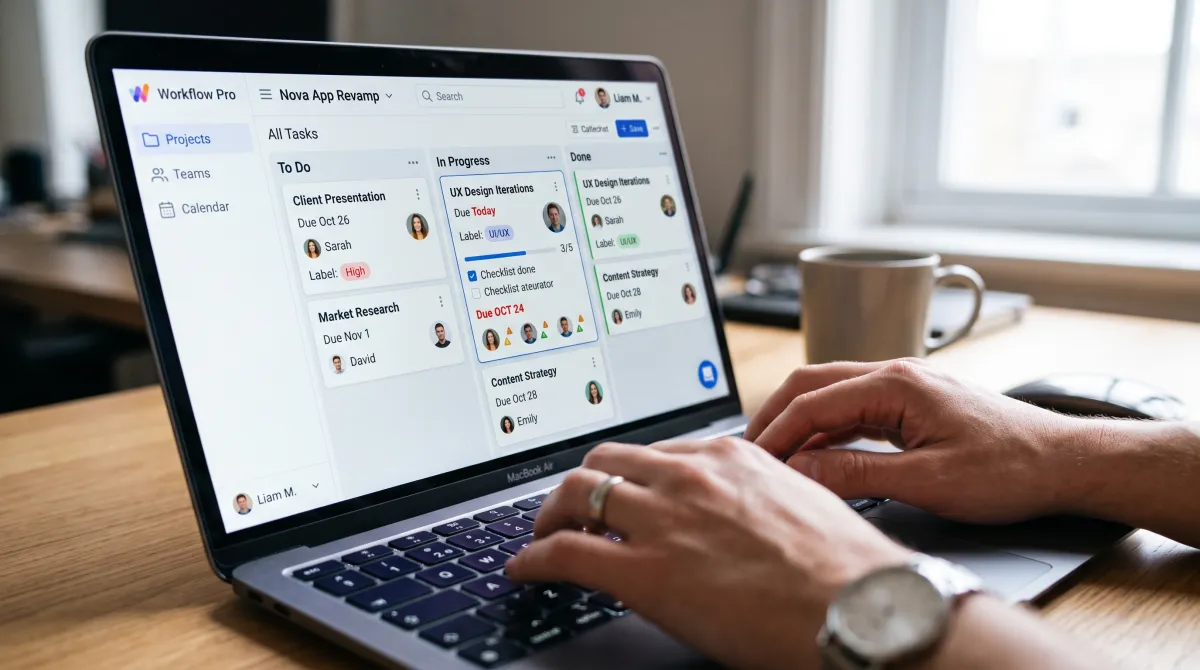
For anything beyond a single sprint, portfolio management and risk management features start to matter. These modules roll project status and project data from several projects into one dashboard, helping leadership spot a project running over budget before it becomes a financial problem.
Work management, document management, and workflow management round out the picture. A mature pm software platform stores files next to tasks, so nobody hunts through email for the latest version of a project plan or budget sheet.
Project financials, project delivery, and project time tracking are worth checking closely if you bill clients by the hour. Task management software that logs time automatically saves a project manager hours of manual entry every week.
Best Project Management Software Compared
Here is how the seven tools stack up before we go deeper on each one.
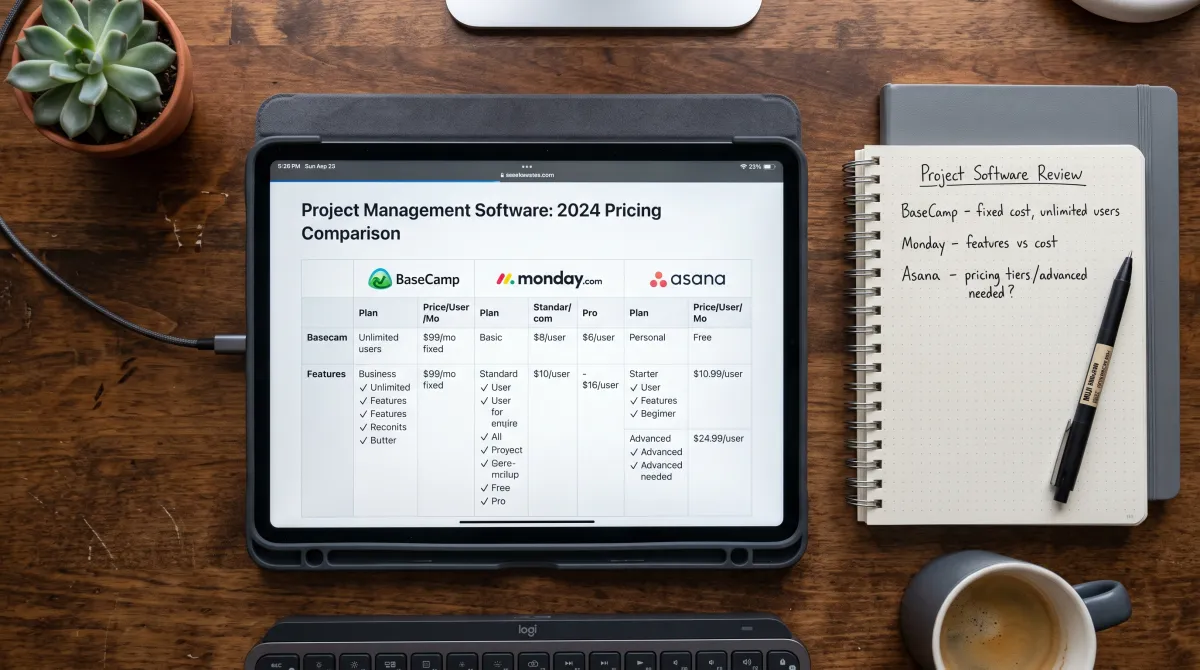
| Tool | Best For | Starting Price | Free Plan |
|---|---|---|---|
| ClickUp | All-around teams | $7/user/mo | Yes |
| Asana | Cross-team collaboration | $10.99/user/mo | Yes, 1-2 people |
| Monday.com | Visual workflows | $9/seat/mo | Yes, 2 seats |
| Trello | Simple task tracking | $5/user/mo | Yes, 10 boards |
| Notion | Docs plus tasks | $10/user/mo | Yes |
| Jira | Engineering sprints | $7.91/user/mo | Yes, up to 10 users |
| Microsoft Project | Enterprise portfolios | $10/user/mo | No |
Best Project Management Software, Ranked
We ranked each tool on pricing, ease of setup, and how well it handles real project tracking, not just task lists.
ClickUp
Free Forever plan, paid plans from $7 per user a month billed annually
ClickUp packs list, board, Gantt, and calendar views into one workspace, plus native docs and goal tracking. The free plan is generous enough for a small team to run real projects without hitting a wall in week one.
- Free plan covers unlimited tasks and members
- Gantt, kanban, and list views included
- Built-in docs and time tracking
- Interface has a learning curve at first
- AI features now cost extra starting in 2026
Asana
Free for one or two people, Starter plan from $10.99 per user a month billed annually
Asana's Timeline view works like a built-in Gantt chart, and its Workflow Builder makes handoffs between departments visible. Larger teams lean on Asana for cross-functional projects that touch marketing, sales, and ops at once.
- Clear Timeline and dashboard views
- Strong automation on the Starter plan
- Good third-party integrations
- Free plan is limited to two people
- Advanced reporting needs the Advanced tier
Monday.com
Free for up to 2 seats, Basic plan from $9 per seat a month billed annually
Monday.com turns every project into a colorful, customizable board. Automations and a timeline view arrive on the Standard plan, which is where most teams end up landing once they outgrow Basic.
- Highly visual, easy to customize
- Solid automation and integration library
- Good for non-technical teams
- Basic plan has no automations
- Costs rise quickly per seat at scale
Trello
Free for 10 boards, Standard plan from $5 per user a month billed annually
Trello's kanban boards are the simplest way to see a project at a glance. It is not built for complex resource planning, but for a small team tracking a handful of projects, it just works.
- Fastest tool to learn on this list
- Free plan works for real small-team use
- Card-based workflow keeps things simple
- Timeline and dashboard views need Premium
- Weak for teams managing many dependencies

Notion
Free plan available, Plus plan from $10 per user a month billed annually
Notion is not a dedicated project tracking tool, but its databases can be shaped into one. Teams that already live in Notion for docs and wikis often add a lightweight project tracker instead of adopting a second app.
- Combines docs, wikis, and task tracking
- Flexible databases and views
- Generous free plan
- No native Gantt chart view
- Setup takes longer than dedicated PM tools
Jira
Free for up to 10 users, Standard plan from about $7.91 per user a month billed annually
Jira remains the default choice for software development teams running agile project sprints and backlogs. It is overkill for a marketing team, but for engineers tracking bugs and releases, nothing else matches its depth.
- Purpose-built for agile sprints
- Deep backlog and bug tracking
- Free tier covers small engineering teams
- Steep learning curve for non-technical staff
- Overkill outside software development
Microsoft Project
Plans from $10 to $55 per user a month depending on the tier
Microsoft Project, now folding into the Planner brand, handles resource management and multi-project portfolios that smaller tools cannot. It fits enterprises already paying for Microsoft 365 more than it fits an independent team.
- Deep resource and cost management
- Fits neatly into Microsoft 365
- Handles large, multi-project portfolios
- No free plan
- Project Online retires in September 2026
The best project management software is the one your project manager and team actually open every morning, not the one with the longest feature list.
How to Choose Project Tracking Tools for Your Team
Start with team size and technical comfort. A five-person marketing team and a fifty-person engineering org need different project tracking tools, even if both call themselves "project management software."
Next, check whether you need Gantt charts, budgets, or resource management, or just a shared list of tasks with due dates. Public user reviews suggest that paying for portfolio features you will never open is a common mistake.
Finally, run a real project through the free trial before committing. A tool that looks great in a demo can still fall apart once ten people are updating it at once.
Choosing project management software gets easier once you write down your actual project management needs instead of chasing whatever list of top picks ranks highest that week. Every roundup of top project management software ranks the same six or seven names in a different order, and lists claiming the "10 best project management software" tools rarely agree with each other.
Popular project management platforms serve very different team sizes, so popularity alone should not decide your pick. A standard project management plan usually separates scope, schedule, and budget, whatever tool ends up holding it.
If your team runs agile project sprints, prioritize a free tool with sprint boards before paying for an enterprise suite you may not need. Project success and project health both depend more on consistent project setup and status updates than on which software you pick.
Best Practices for Implementing Project Management Software
Implementing project management software works best in stages. Roll it out to one team, fix workflow gaps, then expand instead of switching every department at once. Based on vendor documentation and public user reviews, this best practice helps prevent the common abandoned-tool problem.
A PMP or similar management certification teaches the theory, but no certification tells you which software options fit your budget. Read independent software reviews before you buy, since vendor pages rarely mention setup time or hidden fees.
Most teams eventually need more than one of the software solutions on this list. Pair your project management tool with team collaboration tools like Slack, then check our list of online project management tools whenever a new department joins.
Send project updates on a fixed schedule, weekly at minimum, so stakeholders never have to ask where a project stands. This habit matters more than any single feature when you track project progress over months, not days.
Gantt Charts, Task Management Apps, and Other Features to Compare
Most of the tools above blur the line between a full project suite and a simple task management app. If timelines and dependencies matter most to you, our Gantt chart software guide ranks tools purely on that feature, using the same Gantt chart method project managers have relied on for over a century.
If you just need a personal or small-team to-do list without the project overhead, see our task management app picks instead. Both guides use the same research-based comparison approach.
Beyond timelines, look for kanban boards, custom fields, time tracking, and automation rules. These features decide whether a tool saves your team time or just becomes another place to update manually.
Software Most Teams Run Alongside a Project Management Tool
Project management software rarely runs alone. Many teams also lean on hr software to manage the people behind the projects, from onboarding to time off.
Sales-facing teams usually pair their project tracker with a shared CRM, while operations teams handling physical goods add an inventory management system on top.
None of these tools replace each other. Layering them correctly is what keeps a growing team from drowning in spreadsheets.
If you are building out your broader tech stack, our productivity tools roundup covers collaboration apps not covered here.
For the security side, see our small business security software guide.
The Verdict
ClickUp is our default recommendation because it covers the most ground on a free plan and stays simple enough for any project manager to set up without help. Choose Asana if collaboration between departments matters more than price, Monday.com if your team thinks visually, and Jira if you are shipping software.
Some links in this guide are affiliate links. Our recommendations are based on vendor documentation and public user reviews, and it does not cost you anything extra to use them.
Related guides
Frequently Asked Questions
What's the most popular project management software?
Asana, Monday.com, and ClickUp are the most popular project management software options in 2026, based on active user counts and app store rankings. ClickUp has grown fastest thanks to its free plan, while Asana still leads among large enterprise teams.
What are the big 3 in project management?
In project management theory, the big three usually means scope, cost, and time, the constraints every project manager balances against each other. Among tools, ClickUp, Asana, and Monday.com are often called the big three commercial platforms.
What project management software does PMI recommend?
PMI does not officially endorse any single project management software. It focuses on certifying project managers through credentials like the PMP, and PMI-certified project managers use whichever tool, from Jira to Microsoft Project, fits their organization.
Which tool is best for project management?
ClickUp is the best tool for project management for most teams in 2026, combining Gantt charts, task management, and a workable free plan in one platform. Software development teams running sprints often prefer Jira instead.
What is the best free project management software?
ClickUp offers the most complete free plan, with unlimited tasks and members plus Gantt, kanban, and list views. Trello is a close second if you only need simple kanban boards.
Is Asana or Trello better for small teams?
Trello is simpler and cheaper for a handful of projects. Asana costs more but scales better once several departments need visibility into the same work.
What is the difference between project management software and a task management app?
Project management software tracks timelines, budgets, and dependencies across a whole project. A task management app is usually simpler, built around personal or small-team to-do lists rather than full project tracking.
Does project management software replace HR software?
No. Project management software tracks work, while hr software manages people, payroll, and time off. Most growing teams run both side by side.
How do I talk to my manager about project delays?
Bring data, not excuses, and propose a revised timeline before the conversation. Our guide on giving feedback to your boss has more phrasing examples for these conversations.