Software
Best Security Software for Small Business: Antivirus Picks
The best antivirus software for small business in 2026: Norton vs Defender vs Avast, plus endpoint security picks to protect your business. See what fits.
The best security software for small business pairs one anchor layer, business antivirus, with the tools that close every other door: stolen passwords, phishing emails and missing backups. You do not need an enterprise security team. You need four or five well-chosen security products and the discipline to keep them switched on.
Disclaimer: This article is for general information only and isn’t financial, investment or tax advice. Rates, fees and rules change; check the provider’s or regulator’s official source or talk to a qualified professional about your situation.
Quick answer
Pick one business antivirus first: Microsoft Defender for Business if you already pay for Microsoft 365 Business Premium, Norton Small Business or Avast Ultimate Business Security if you do not. Then add a password manager, automatic backup and email filtering. Budget 10 to 25 dollars per user per month for the full stack.
Key takeaways
- Antivirus is the anchor, not the whole answer: endpoint, identity, backup and email together stop the attacks that actually reach small firms.
- Microsoft Defender for Business ships inside Microsoft 365 Business Premium, so many owners already own an effective antivirus without knowing it.
- Independent antivirus testing from AV-TEST and AV-Comparatives matters more than any vendor’s marketing page.
- A password manager is the highest-value second buy, because stolen credentials cause most data breaches.
- Managed detection gives you a security operations center you could never afford to hire full-time.
What Is the Best Security Software for Small Business?
It is a layered set of tools, each closing a different door an attacker can walk through. Buy an antivirus program alone and you stay exposed on email, passwords and backups. The question is really about a stack, not a single winner.
Small businesses get targeted precisely because they look soft. They hold real money and business data but rarely run the defenses a large company does. A single ransomware hit can halt business operations for a week, and a serious data breach closes plenty of firms for good.
Government guidance agrees. The CISA cybersecurity resources and the FTC small business cybersecurity guide both tell small business owners to combine endpoint protection, strong passwords, backups and email filtering on every device that can touch company accounts, rather than bet everything on one product.
At the center sits antivirus software, also called endpoint protection software: software designed to detect and remove malicious software before it spreads. Everything else wraps around that core to protect your business on four fronts: devices, logins, data and email. It is one slice of the wider small business software stack every owner ends up assembling.
Business Antivirus Software at a Glance
The best business antivirus software in 2026 comes down to a short list. Here are the top antivirus picks worth shortlisting, plus the non-antivirus layers that complete the stack. Prices are approximate and change often, so confirm on a current quote or free trial before you buy.
| Tool | Category | Best for | Starting price |
|---|---|---|---|
| Microsoft Defender for Business | Antivirus + endpoint security | Teams already on Microsoft 365 | Bundled in Business Premium |
| Norton Small Business | Antivirus + VPN + cloud backup | Owners with no IT staff, up to 20 devices | ~$2/device/mo (first year) |
| Avast Ultimate Business Security | Antivirus + patch management | Small office fleets that forget updates | ~$4/device/mo |
| Bitdefender GravityZone | Endpoint protection | Mixed Windows and Mac fleets | ~$8/device/mo |
| 1Password Business | Password manager | Every team, from day one | ~$8/user/mo |
| Huntress | Managed detection (MDR) | No in-house IT, real risk | ~$5/endpoint/mo |
| Backblaze Business | Backup | Ransomware recovery | ~$7/computer/mo |
Lab scores will not separate these for you. Every antivirus solution on this list posts strong results with the independent antivirus testing labs, AV-TEST and AV-Comparatives, so fit and price decide it, not detection rates.
If you only buy two things this quarter, make them an effective antivirus and off-site backup. They block the two failures that most often end with money leaving an account or files held hostage. A password manager is the urgent third.
What to Look for in Antivirus Software for Your Business
Choosing antivirus software gets easier once you know which antivirus features actually matter at your size. Antivirus for business use differs from the home product in a few specific ways. When evaluating antivirus options, ignore the consumer marketing and check these security features.

- Real-time antivirus scanning. Real-time protection catches threats on arrival instead of during a weekly scan. Every serious antivirus offers it; verify it stays on by default and that staff cannot switch it off.
- Ransomware rollback. Protection against malware is table stakes. The differentiator is restoring encrypted files after a ransomware hit without paying anyone.
- A central dashboard. Antivirus software for businesses differs from consumer antivirus mainly here: one console shows every device, so you spot the laptop that skipped its last scan.
- A software updater. Unpatched apps cause a huge share of breaches. Avast Ultimate Business Security bundles a software updater that patches third-party software automatically.
- Business tech support. When something flags at 8 a.m. on invoicing day, you want a human. McAfee antivirus plans and Norton both bundle business tech support; check the hours and channels.
- Useful security reports. You want plain-language security data you can act on, not raw logs. A weekly summary you actually read beats a console you never open.
Match the shortlist to your security needs, not someone else’s. A five-person shop with no servers has different business needs than a thirty-seat firm holding customer records, and the right antivirus for one is overkill or underpowered for the other.
One more filter: look for antivirus software sold per device or per user in small packs. Business antivirus solutions priced for 500 seats will frustrate you at five. The right antivirus software scales one seat at a time as your business grows.
Choose the right antivirus for the team you have, not the company you plan to be. You can always upgrade tiers later.
Norton vs Defender vs Avast: Choosing the Best Antivirus Software
Three names dominate the small business conversation, and each wins a different scenario. Here is the honest version, from someone who has set all three up for real teams.
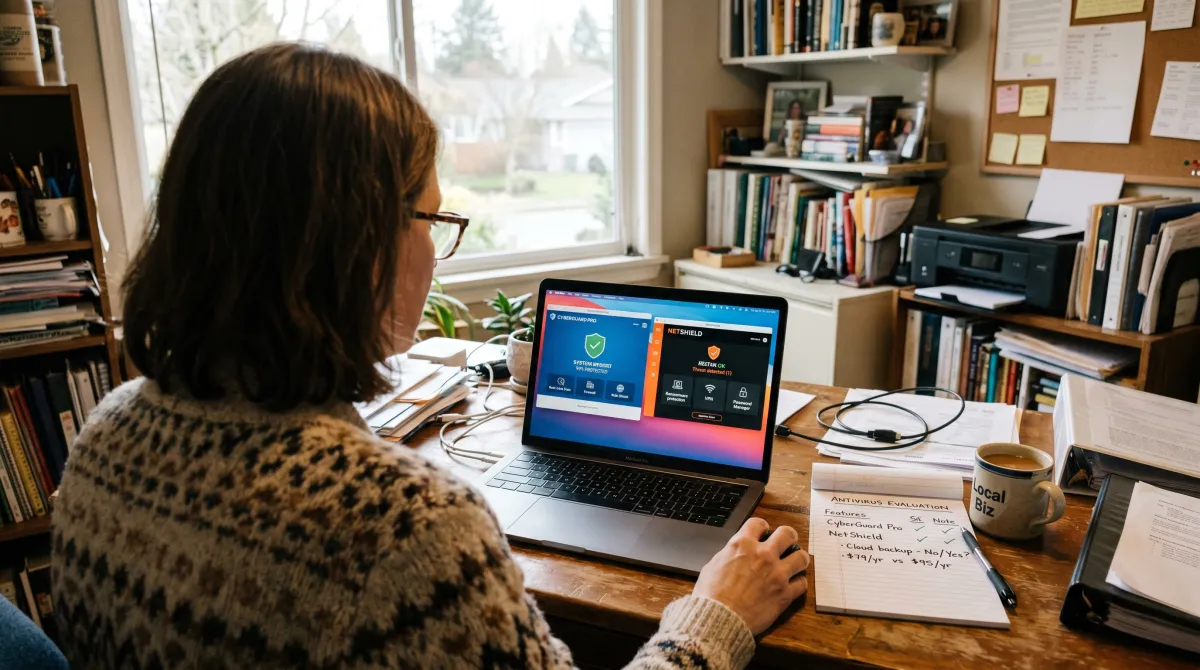
Microsoft Defender for Business
If you already pay for Microsoft 365 Business Premium, stop shopping: you own this. Microsoft Defender for Business provides enterprise-grade endpoint security for up to 300 business users, bundled into the same subscription many owners already buy for email and Office.
It is more than it looks. It’s an antivirus, an endpoint detection tool and a firewall manager in one, drawing on security data from more than a billion Windows devices. The catch is setup: the admin console assumes some IT comfort, and it helps small businesses most when someone spends an afternoon configuring it properly.
One warning: never install another antivirus on top of it. Two engines fighting over the same files causes conflicts and slows every machine down.
Norton Small Business
Norton is the simplest serious option. Norton Small Business is designed for small businesses with no IT staff: it covers up to 20 devices and bundles security and online privacy tools, a VPN and cloud backup alongside Norton’s antivirus engine.
Norton’s decades of consumer polish mean staff need zero training, and the Small Business Premium tier adds 24/7 support and far more backup space. Check what each of Norton’s business offers actually includes before you buy, because first-year pricing roughly doubles at renewal. Budget for the renewal price, not the teaser.
Avast Ultimate Business Security
Avast wins on patching. The built-in software updater closes the unpatched-app hole behind a large share of small business breaches, and the management console is friendlier than Microsoft’s.
Avast also sells cheaper Essential and Premium business security tiers, but most five-to-twenty seat firms should land on Ultimate for the updater alone. It is the rare upsell that earns its price.
What about the rest? McAfee remains a capable engine with strong identity extras, and Bitdefender GravityZone is a strong fit when you run a mix of Macs and Windows machines: top lab scores, fair price, one console for everything.
Free Antivirus vs Paid: What Your Business Needs
Do you still need antivirus at all in 2026? Yes, and sometimes the free one is enough. The consumer Microsoft Defender built into Windows is a genuinely effective antivirus for a solo owner with one laptop and no staff.
But free antivirus software has hard limits for teams. Free antivirus apps lack the central dashboard, so you cannot see whether an employee’s machine missed a scan or quietly disabled protection. Most free tiers are also licensed for home use only, so running a free antivirus on work laptops can breach the license terms.
My rule: one person, free Defender is fine. Two or more people, or any customer data, buy business antivirus. Business antivirus software typically costs less per month than one hour of ransomware downtime, and every vendor here offers a 14 to 30 day free trial to prove fit first.
Whichever you pick, demand behavior-based detection. Traditional antivirus matched known signatures; modern antivirus watches what programs do, which is how it catches brand-new threats. Anything that only scans on a schedule belongs in 2010.
Security is not a product you buy once; it is the layer that wraps every other tool your business already runs.
Beyond Antivirus: The Security Solutions That Complete the Stack
An antivirus solution covers devices. Four more security solutions cover everything else, and they matter just as much for keeping your business safe.

Password manager. Stolen credentials cause more breaches than malware does. 1Password Business gives every employee unique logins and flags reused passwords, which is why it is the highest-value purchase after antivirus protection.
Backup. If ransomware lands anyway, a clean off-site backup is the difference between a bad afternoon and a closed business. Automate it, keep one copy outside the office, and test a restore quarterly. An untested backup is a hope, not a plan.
Email filtering and internet security. Phishing is still the most common way in. Microsoft 365 and Google Workspace both include solid filters; switch them on fully, then add an internet security layer in the browser for safe-browsing and download checks.
Managed detection and response. Huntress adds managed antivirus services with humans who watch alerts overnight, the closest a ten-person firm gets to a security operations center. Add these managed security services once you have staff or sensitive data; they cost less per year than one consultant day.
Add extra security layers in that order as headcount and risk grow. Most owners are well covered with four; almost nobody at this size needs six on day one.
How to Apply the Best Security Software for Small Business
Start by mapping what you already run, because business security has to wrap all of it. Most owners juggle a real stack long before they ever think about defense.
That stack usually includes free accounting software for the books, hr software for payroll and time off, and gantt chart software to keep projects on schedule. It also includes the inventory management software small business teams use to avoid stockouts.
If you sell physical goods, your small business inventory management software and the small business inventory software behind your point of sale both hold customer and supplier records. The cheaper inventory software small business owners start with often ships with weak defaults, so it belongs inside your security plan, not outside it.
Hardware counts too. Plenty of owners buy laptops, routers and card terminals on a costco membership business run, or at one of the costco business center locations near them. Those costco business centers locations are convenient, but a router off the shelf still arrives with a default password you must change on day one.
Once you can see the whole stack, roll out in this order:
- Week 1: deploy your chosen antivirus on every device, no exceptions for the owner’s laptop, and run a full scan everywhere.
- Week 2: turn on a password manager and require it for every shared login.
- Week 3: set up automatic off-site backup and test one restore.
- Week 4: switch on email filtering and multi-factor authentication everywhere.
Then apply best practices that make the tools work: unique passwords, fast updates, and one annual run-through of what you would do if a laptop went missing. These best practices cost nothing and double the value of every license you pay for, including the productivity tools your team runs daily.
You do not need a big security budget for any of this. The gap between enterprise and entrepreneurship is not money, it is focus: choose the best four or five layers, keep your business safe with them consistently, and let the vendors do the watching so you can focus on your business.
Best Security Software for Small Business FAQ
Which antivirus is best for small business?
Microsoft Defender for Business if you already pay for Microsoft 365 Business Premium; Norton Small Business for simplicity; Avast Ultimate Business Security for automatic patching. The best antivirus for small business is ultimately the one your team keeps running and never switches off.
Is Microsoft Defender still free?
Yes, the consumer version remains free and built into Windows 10 and 11. The paid Business tier adds the central console and server coverage. A solo owner can rely on the free version; a team should not, because you need an antivirus you can monitor across every device.
Do Samsung phones have antivirus?
Yes, Samsung phones ship with Knox security and a built-in McAfee-powered scanner, so a separate antivirus app is rarely necessary. Enable Auto Blocker and app scanning in settings. Any staff phone that touches business email deserves the same attention as a laptop.
What is the most popular security software?
By install base, Microsoft Defender, because it ships with every copy of Windows. Among paid products, Norton and McAfee lead the consumer market while Defender for Business and CrowdStrike lead business deployments. Popular does not mean right for you; fit beats fame.
What are the best business credit cards for funding security tools?
The best business credit cards reward the spend you already make on software. Cards like Chase Ink, Amex Business or Capital One Spark pay cash back on recurring SaaS subscriptions, which is exactly where security spend lands.
Is there one best business credit card for new owners?
No, there is no single best business credit card for everyone. A new owner with thin history should prioritize approval odds and a low fee over premium perks, then upgrade once revenue and history grow.
What are the best credit cards business owners use to build credit?
The best credit cards business owners use to build credit report to the commercial bureaus, not just personal ones. A secured business credit card is the usual on-ramp, and on-time payments steadily build your business credit score.
How do I pick the best credit card business spending should go on?
Match the best credit card business spending earns rewards on to your largest category. Keep one card just for subscriptions, so a compromised number is easy to rotate without breaking every tool you run.
Where do top rated business credit cards fit in a security budget?
Top rated business credit cards make a fixed budget cheaper through cash back and isolate subscription payments. Put all SaaS on one dedicated card, enable transaction alerts, and billing becomes an early-warning signal for fraud.
How much should a small business spend on security software?
Plan for roughly 10 to 25 dollars per user per month for antivirus, a password manager, backup and email filtering. That is far less than the cost of a single ransomware incident or a week of downtime.