Software
Task Management App (2026): 6 Tools Compared
Compare the best task management app picks for 2026, from Todoist to ClickUp and TickTick. See which task manager fits your workflow, free or paid.
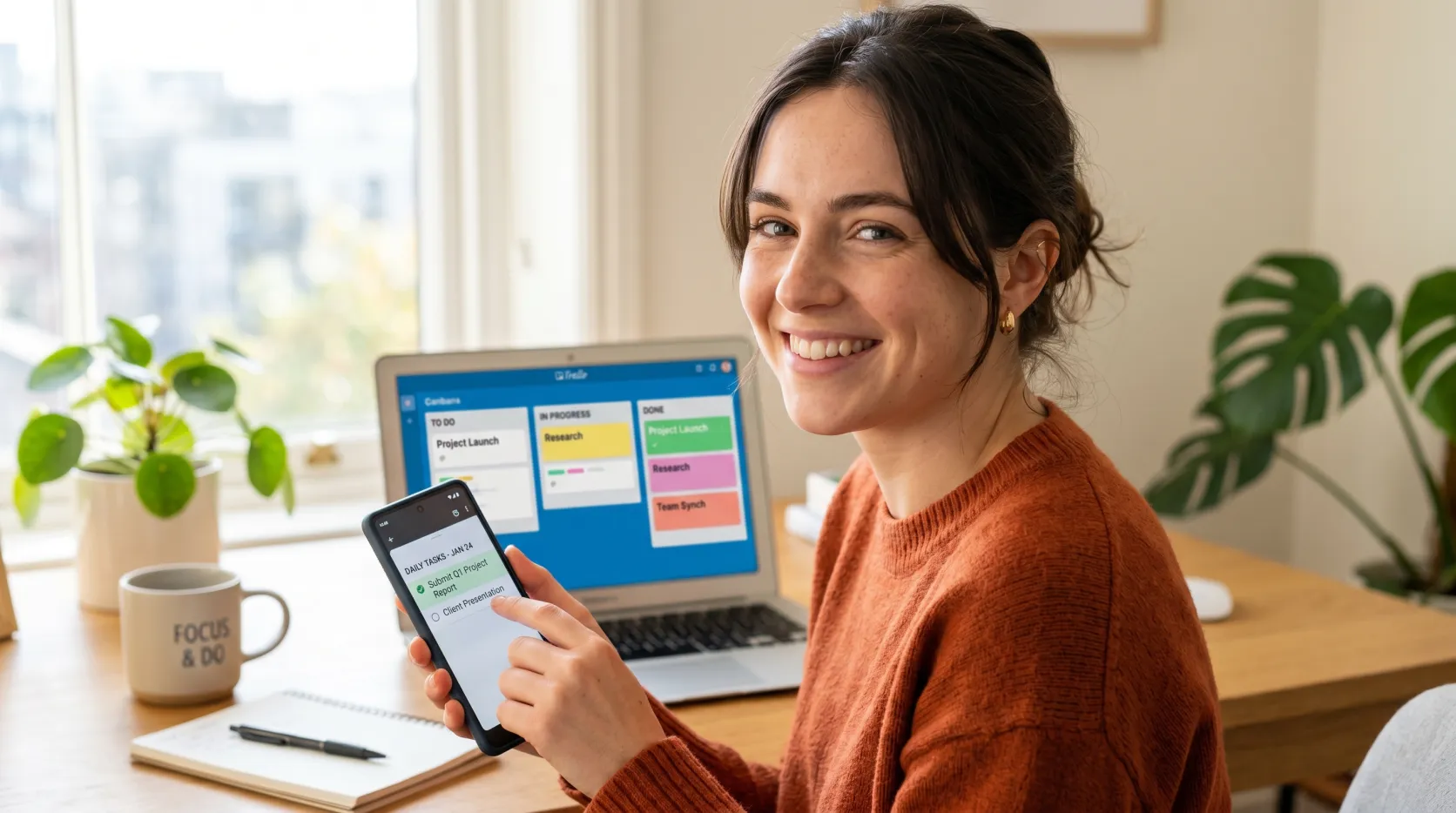
A task management app only earns its keep when it disappears into your day. You add a task in two seconds, it shows up at the right time, and you stop carrying that mental load. Most apps fail that test. A few nail it.
Disclosure: InterObservers may earn a commission if you buy through links on this page, at no extra cost to you. This doesn’t change what we recommend. How we make money.
This is not a feature-sheet roundup. Based on vendor documentation and public user reviews, this guide compares how each task management app handles real projects, messy inboxes, recurring chores, and team handoffs, and what tends to hold up.
Quick answer
The best task management app for most people is Todoist, thanks to fast natural language task entry, reliable recurring tasks, and clean cross-platform sync. Teams that need projects and tasks in one place should pick ClickUp or Asana, while TickTick wins for built-in calendar and Pomodoro focus.
Key takeaways
- Todoist is the best task management app overall for individuals and small teams.
- ClickUp is the strongest project and task management platform with a robust free version.
- TickTick bundles a calendar view, reminders, and Pomodoro into one tidy workspace.
- Google Tasks is the simplest free task management option if you live in Google Workspace.
- Match the app to your workflow, not the longest feature list.
What Is the Best Task Management App?
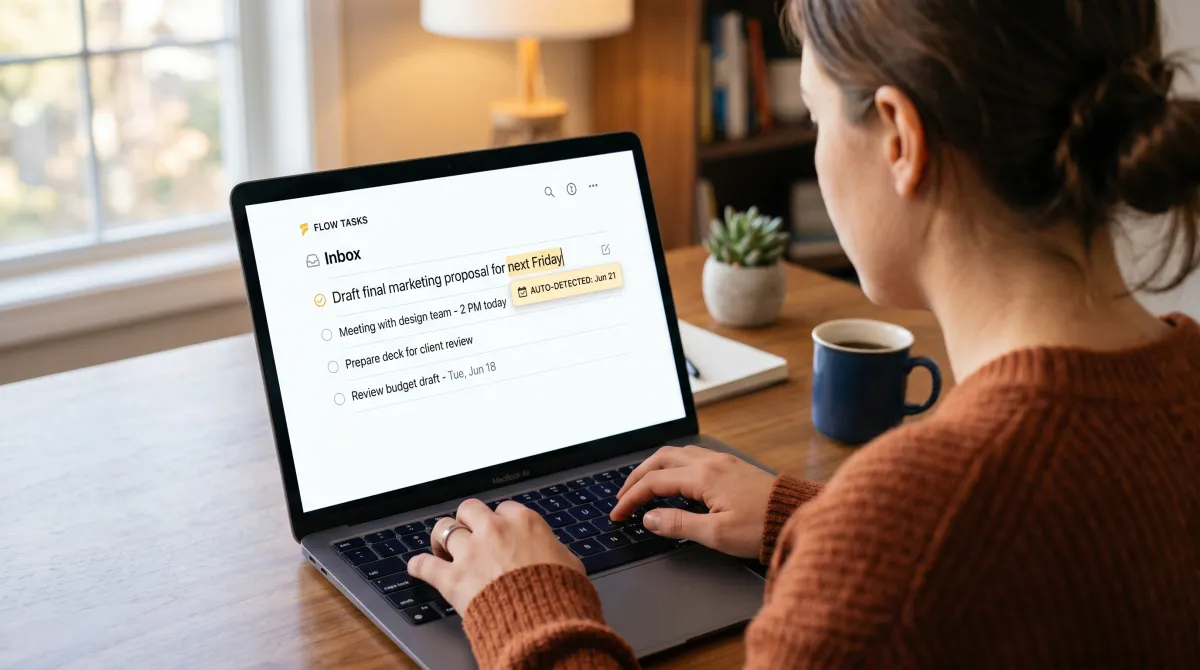
The best task management app is the one you will actually open every morning. For most people that is Todoist, because creating tasks is frictionless and the app never gets in your way. It will automatically create a recurring task from a typed line like "pay invoice every Friday," due date and all.
That said, "best" depends on the job. A solo freelancer wants a fast to-do list app. A growing team wants project planning, the ability to assign tasks, and timeline views in one place. We picked tools for each case below.
Across years of reviewing task management software, the pattern is consistent. People abandon apps that demand setup before they deliver value. The winners let you add your tasks first and organize tasks later, then grow into projects, kanban boards, and automation when you are ready. Task management as a discipline is just capture, prioritize, repeat.
We weighed task entry speed, recurring task reliability, reminders, sync across iOS and Android, the quality of the free version, and how well each tool handles tasks and projects together. Built-in time tracking, Gantt charts, and integrations broke the ties.
Best Task Management App Compared
Here is the short version before the deep dives. This table maps each task manager to the workflow it serves best, so you can shortlist your top picks in under a minute.
| App | Best for | Free version | Starting price | Standout feature |
|---|---|---|---|---|
| Todoist | Individuals and small teams | Yes (generous) | $4/user/mo | Natural language task entry |
| ClickUp | Project and task management | Yes (robust free) | $7/user/mo | All-in-one work management |
| TickTick | Focus and calendar | Yes | $2.99/mo | Built-in Pomodoro + calendar view |
| Asana | Team project planning | Yes (up to 10 users) | $10.99/user/mo | Timeline and workflow rules |
| Trello | Visual kanban boards | Yes | $5/user/mo | Drag and drop kanban |
| Google Tasks | Google Workspace users | Free | Free | Lives inside Gmail and Calendar |
Below, each pick gets a verdict, the pros and cons we found in real use, and who should skip it. Our broader software stack guides cover the adjacent management tools you will likely pair with these.
Best task management app overall
Todoist From $4/user/mo
Todoist is the task management app we recommend to almost everyone. Type a task in plain language, hit enter, and it parses the due date, project, and recurring task for you. Nothing else is this fast.
Pros
- Best-in-class natural language task entry
- Rock-solid recurring tasks and reminders
- Seamless sync across iOS, Android, and desktop
- Google Calendar and Slack integrations
Cons
- No built-in calendar view on lower tiers
- Time tracking needs an integration
Todoist gets the basics right and stops there, which is the point. Its free version covers most individuals, and the upgrade unlocks reminders, labels, and filters. If you want a clean to-do list app that grows into light project management, start here.

Best for project and task management
ClickUp From $7/user/mo
ClickUp is the all-in-one work management platform. It folds tasks and projects, docs, Gantt charts, and time tracking into one workspace, so teams can drop three other tools. The robust free tier is rare at this depth.
Pros
- Handles projects and tasks plus docs and goals
- List view, kanban, calendar view, and timeline
- Strong automation to streamline your workflow
- Generous free version for small teams
Cons
- Steeper learning curve at first
- The interface can feel busy
Pick ClickUp when a simple task list is no longer enough and you need real project planning. As a project management app it is overkill for a personal to-do list, but for a team juggling tasks and projects across clients, it removes friction fast.
Best for focus and calendar
TickTick From $2.99/mo
TickTick is the quiet overachiever. It pairs a fast task manager with a built-in calendar view, a habit tracker, and a Pomodoro timer, so you plan and focus without app-switching. The price is the lowest here.
Pros
- Built-in Pomodoro and calendar view
- Smart reminders and natural language input
- Great mobile app on Android or iOS
- Cheapest premium tier in this roundup
Cons
- Team collaboration features are basic
- Fewer third-party integrations
If your problem is focus, not coordination, TickTick is the right task management solution. The Pomodoro timer and calendar view sit next to your tasks by due date, which keeps the getting things done loop tight. On an Android phone the widget alone earns its place.
The best task management app is the one that adds tasks faster than your excuses can.
Best for team project planning
Asana From $10.99/user/mo
Asana is built for teams that plan work, not just track it. Timeline, workflow rules, and clear ownership make it easy to assign tasks and see the whole project. The free plan supports up to 10 users.
Pros
- Excellent timeline and project planning
- Workflow automation that helps teams stay aligned
- List view, board, and calendar in one
- Mature integrations and reporting
Cons
- Pricier per user than rivals
- Heavy for a personal to-do list
Asana shines when several people share a project and you need accountability. It is less about a quick task list and more about a repeatable management process across a team that ships work on deadlines. You can collaborate on a specific task, drop a comment, and the right people get a notification.
How to Choose a Task Management App
Start with the smallest tool that fits. Most people overbuy. If you mainly track personal errands and important tasks, a focused to-do list app beats a full work management platform every time.
Match the app to three things: how you capture tasks, how you view them, and who you share them with. Below is a simple filter, based on vendor documentation and public user reviews, for comparing different task management tools.
- Task entry speed: Can you create tasks in one line with natural language? This single factor predicts whether you stick with it.
- Views: Do you need list view only, or also kanban, calendar view, Gantt charts, and timeline for project planning?
- Collaboration: Solo use rewards simplicity. Teams need to assign tasks, comment, and attach files in context.
- Integrations: Check that it can integrate with Google Calendar, Google Drive, Google Sheets, Slack, and the messaging apps you already use.
- Free version: A robust free tier lets you test the real workflow before paying.
One detail teams underrate: every task should carry its own attachment. When you attach PDF files like a brief, invoice, or contract directly to the task, nobody hunts through email for it. Todoist, ClickUp, and Asana all let you attach PDF files and other documents to any specific task, so the attachment travels with the work.
One honest warning. Switching apps every month is its own form of procrastination. Pick one of these best apps, commit for a quarter, and let the habit form. The top task management tool matters less than the consistency, since the goal is to move through your work tasks more efficiently.
For a wider stack, pair your pick with our notes on productivity tools for teams so capture and focus reinforce each other.
Then lock down your data with the best security software for small business, because a task app is only as safe as the accounts behind it.
If you sell physical goods, mind the right inventory management software small business owners actually use. Good inventory management software for small business handles stock the same way a task manager handles work: capture fast, sync everywhere, automate the boring parts.
Many small operators run a task app alongside dedicated small business inventory management software, because mixing the two creates chaos. Lightweight inventory management systems small business teams adopt, like Zoho Inventory or Sortly, stay focused on stock, while your task management app stays focused on work. A purpose-built inventory management system small business setup keeps both clean.
Free Task Management Options Worth Trying
You do not need to pay to get organized. Several free task management apps are genuinely good. Google Tasks is the simplest if you already live in Google Workspace, since it sits inside Gmail and Google Calendar with no setup.
For more power at zero cost, ClickUp and Trello both offer strong free versions. Trello's drag and drop kanban is the friendliest way to visualize a workflow, while ClickUp's free tier handles real projects and tasks for small teams.
Evernote and Google Tasks cover the lightweight end, where you just need to add your tasks and a few reminders. The best free task management choice is whichever one you will open tomorrow without thinking about it.
Related guides
Task Management App: FAQ
What is the best app to keep track of tasks?
Todoist is the best app to keep track of tasks for most people, because fast natural language entry and reliable recurring tasks make it effortless to capture and review your to-do list across iOS, Android, and desktop.
What is a task management app?
A task management app is software that helps you create tasks, set due dates and reminders, organize tasks into projects, and track them to completion. Modern apps add kanban boards, calendar views, automation, and collaboration so individuals and teams can manage work in one place.
Which task manager is best?
The best task manager depends on your needs. Todoist wins for individuals, ClickUp and Asana lead for project and task management across teams, and TickTick is best if you want a built-in calendar view and Pomodoro timer for focus.
Is Todoist or Google Tasks better?
Todoist is better if you want power features like natural language input, recurring tasks, labels, and integrations. Google Tasks is better if you want the simplest free task management option that lives directly inside Gmail and Google Calendar with no extra app.
What is the best project management software for small teams?
For small teams, ClickUp offers the best balance of project management software depth and a robust free version, while Asana is the strongest pick for timeline-driven project planning and clear task ownership.
What is the best inventory management software for small business?
Zoho Inventory and Sortly are popular inventory management software for small business needs, offering affordable stock tracking, barcode scanning, and low-stock alerts. Keep stock control separate from your task management app so each tool stays focused.