Software
Job Scheduling App: 8 Best Tools Compared (2026)
See the best job scheduling app for your crew size in 2026: real pricing, dispatch calendars, and genuine free plans, compared so you pick the right tool fast.

A job scheduling app should tell a dispatcher who is free, get a tech to the right address, and close out the invoice without three phone calls. Most calendar apps and spreadsheets fail at step one. We looked at the field service platforms operators actually run in 2026, what each one costs once you add a second truck, and which app fits a two-person crew versus a fifteen-tech shop.
Disclosure: InterObservers may earn a commission if you buy through links on this page, at no extra cost to you. This doesn’t change what we recommend. How we make money. I am an independent entity from HighLevel and receive referral payments from HighLevel.
Quick answer
For most small field service businesses, Jobber is the best job scheduling app because it pairs a clean drag-and-drop dispatch calendar with transparent pricing from $29/mo. Housecall Pro suits solo contractors who want fast setup, and ServiceTitan fits crews past 15 techs that need deep reporting.
Key takeaways
- Jobber wins on dispatch calendar and transparent pricing for growing service teams.
- Housecall Pro deploys fastest for solo contractors and crews under 10 techs.
- ServiceTitan is the enterprise pick once you run 15 or more techs and need custom reporting.
- Connecteam and FieldVibe cover budget-conscious teams with genuine free plans.
- If you also want CRM and marketing bundled with the calendar, GoHighLevel covers both from one login.
What a Job Scheduling App Actually Does
A job scheduling app assigns work orders and appointments to specific techs, routes them to an address, and tracks the job until it gets invoiced. That is different from a shift scheduling tool, which just decides who clocks in and when.
If you manage hourly staff and shifts rather than dispatched jobs, our employee scheduling app guide covers that side better.
Our best scheduling app for small businesses roundup is also worth a look if you want shift coverage instead of dispatch. This guide is for teams sending people to job sites, not just clocking in shifts.
The category grew out of dispatch boards and paper work orders. See field service management for the background if it is new to you.
How We Picked
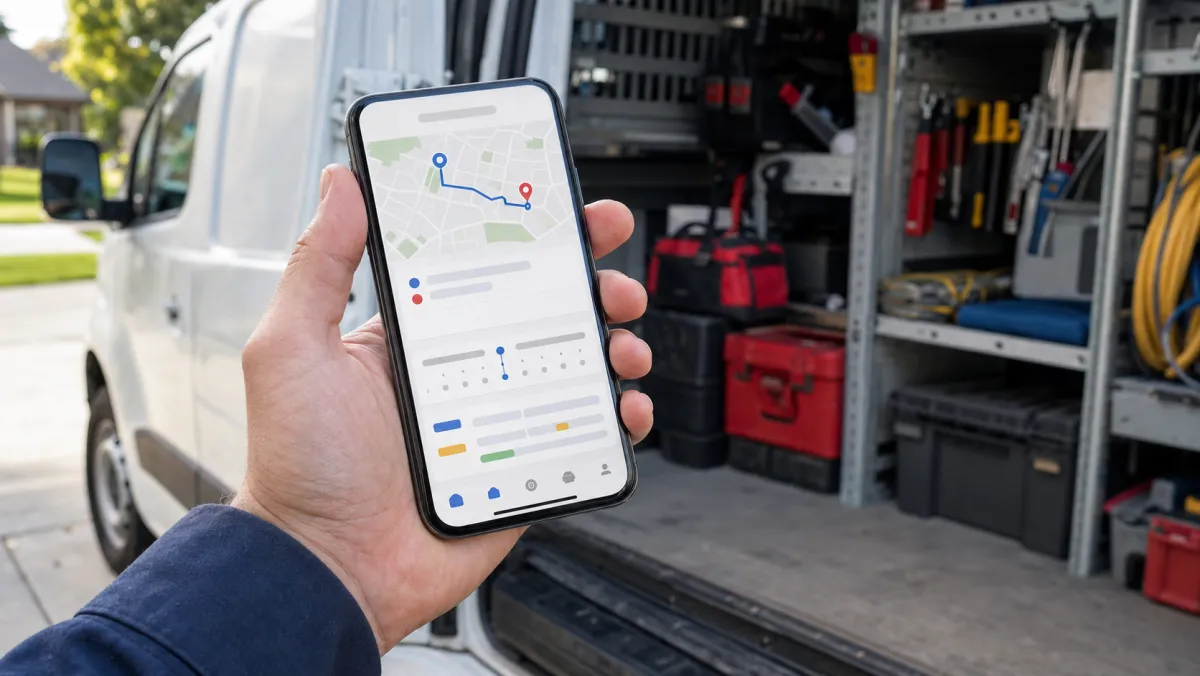
We compared pricing at real team sizes, how fast dispatch and routing work from a phone in the field, whether invoicing and payments live in the same app, and how each vendor prices past the first few users. A free trial counts for less than a real free plan.
Best Job Scheduling Apps for Small Business in 2026
These six cover a solo operator through a crew running fifteen or more techs. Prices shift, so confirm current numbers on each vendor's site before you commit.
Best overall dispatch calendar
Jobber From $29/mo (annual) or $49/mo month-to-month
Jobber's drag-and-drop calendar is the fastest way to see who is free and slot in a same-day job. Pricing is public on the site, which is rare in this category, and the Connect tier adds routing and QuickBooks sync.
Pros
- Transparent public pricing, no sales call needed
- Client hub lets customers approve quotes and pay online
- Handles 1 to 15 techs without feeling cramped
Cons
- Advanced automation needs the top Grow plan
- Reporting is lighter than ServiceTitan's
Fastest setup for solo contractors
Housecall Pro From around $49/mo
Housecall Pro gets a solo HVAC or plumbing operator booking and dispatching jobs within a week. The mobile app is built for a tech who never sits at a desk.
Pros
- Online booking and payments built in
- Mobile-first dispatch, live within days
- Good customer text updates on arrival
Cons
- Add-ons like text marketing raise the real bill
- Reporting is the weakest of the big three
Enterprise pick past 15 techs
ServiceTitan Custom quote only
ServiceTitan is built for multi-crew operations that need skill-based routing and reporting depth the smaller apps do not offer. Budget for a real sales process and a multi-month rollout, not a same-week signup.
Pros
- Deep reporting and skill-based dispatch
- Scales cleanly to large fleets
Cons
- No public pricing, sales call required
- Overkill and expensive under 10 techs
Best free plan for a small crew
Connecteam Free up to 10 users, then from $29/mo
Connecteam pairs job scheduling with GPS time tracking and team chat in one app, and the free plan is real, not a trial.
Pros
- Genuine free plan for up to 10 users
- GPS clock-in tied to the job
- Scheduling and team comms in one place
Cons
- Deeper dispatch features cost extra
- More setup than a single-purpose scheduler
Best for solo and micro crews on a budget
FieldVibe Free forever for core features
FieldVibe keeps a one or two person outfit organized without asking for a card. It will not replace ServiceTitan, but it beats a paper calendar and a string of missed-call voicemails.
Pros
- No-cost plan covers real job scheduling
- Simple enough to learn in an afternoon
Cons
- Thin on invoicing and reporting
- Not built for teams past a few techs
Best if you also want CRM and marketing
GoHighLevel From $97/mo
GoHighLevel is not a dedicated dispatch tool, but its calendar and pipeline cover appointment-based job scheduling while also running lead follow-up, review requests, and marketing from one login. It fits service businesses that want the job calendar and the sales side on one bill.
Pros
- Books and reschedules jobs while syncing CRM and marketing
- Unlimited users and contacts on every plan
Cons
- Not purpose-built for routing like Jobber
- Setup takes longer than a single-purpose scheduler
Job Scheduling Apps Compared
| App | Best for | Starting price | Free plan |
|---|---|---|---|
| Jobber | Growing service teams | $29/mo (annual) | No, 14-day trial |
| Housecall Pro | Solo contractors | ~$49/mo | No, free trial |
| ServiceTitan | Large multi-crew operations | Custom quote | No |
| Connecteam | Budget-conscious small teams | Free up to 10 | Yes, up to 10 users |
| FieldVibe | Solo and micro crews | Free | Yes, forever |
| GoHighLevel | Scheduling plus CRM and marketing | $97/mo | 30-day trial |
| Workyard | Construction crews tracking job cost | $6/user/mo + $50/mo base | No, free trial |
| Workiz | Plumbing, HVAC, locksmith, electrical | Custom quote | No, free trial |
The best job scheduling app is the one your dispatcher can run from a phone in the truck, not the one with the longest feature list on the sales page.
How to Choose the Right Job Scheduling App
Match dispatch complexity to your team size
A two-tech crew does not need skill-based routing. Start with Jobber or Housecall Pro under 10 techs, and only look at ServiceTitan once dispatch complexity, not price, becomes the real bottleneck.
Confirm invoicing and payments live in the same app
A job is not done when the truck leaves, it is done when you get paid. Check that the app you pick handles invoicing the same way our invoicing software for small business guide recommends, so a closed job turns into a sent invoice automatically.
If your crew also carries parts and stock on the truck, pair the scheduler with real inventory management software for small businesses so a job never stalls on a missing part.
Test the mobile app on an actual job, not a demo
Dispatchers build schedules on a laptop, techs live on a phone with one bar of signal. Send a real tech out with the trial app for a day before you commit a whole crew to it.
Decide if you need CRM and marketing bundled in
If leads, reviews, and follow-up texts matter as much as the calendar, a plain scheduler leaves a gap. Our CRM for small business roundup covers that combined route in more depth.
The GoHighLevel CRM review breaks down whether bundling scheduling with sales and marketing makes sense for your team.
Job Scheduling App: FAQ
What is the best free job scheduling app?
FieldVibe offers real job scheduling free forever for solo and micro crews. Connecteam is the better free pick once you have up to 10 techs and want time tracking bundled in.
What is the difference between a job scheduling app and an employee scheduling app?
A job scheduling app dispatches work orders and appointments to a job site. An employee scheduling app manages shifts and clock-ins instead. Some tools, like Connecteam, do both.
How much does job scheduling software cost?
Entry plans start free (FieldVibe, Connecteam) to around $29 to $49 a month for a small crew on Jobber or Housecall Pro. Enterprise platforms like ServiceTitan require a custom quote, often in the high hundreds per month.
Can I use Google Calendar as a job scheduling app?
Google Calendar can hold appointments, but it will not route techs, track job status, or turn a finished job into an invoice. A dedicated job scheduling app pays for itself once you run more than one truck.
What job scheduling app works best for a one or two person crew?
FieldVibe and Housecall Pro both get a solo operator booking and dispatching jobs within a day, without the setup overhead a multi-crew platform like ServiceTitan requires.