Workplace & Career
Professional Resume Template: Free Copy-and-Paste Format
Copy a free professional resume template, no sign-up. Pick the right format for your career and adapt sample wording for every resume section.

Copy the plain-text resume template below into Word, Google Docs or any editor and replace the brackets. It runs contact information, summary, work experience, skills and education in one column, which recruiters skim fast and tracking software reads cleanly. Before you fill it in, pick your format: chronological for a steady career, combination for a career change or a gap.
Quick answer
The most professional resume template is plain: one column, standard headings, a readable font and your strongest result in the top third of page one. Pick the format that fits your career first (chronological, combination or functional), then fill the template section by section.
Key takeaways
- Choose the format before the design: reverse-chronological order for steady careers, combination for career changers and gaps.
- Keep the resume layout ATS friendly: one column, no text boxes, standard section names like "Work Experience".
- Write each bullet as action + task + result, with a number wherever you can.
- Match your skills section to the words in the job ad for each target role.
- Reuse the same header on a matching cover letter so the application reads as one package.
What Is a Professional Resume Template?
A professional resume template is a reusable layout that fixes the order of your resume sections, the heading styles, the font and the spacing. You only fill in content. Recruiters and hiring managers then find the same things in the same places: who you are, what you did and what you can do for them.
"Professional" refers to the structured format, not to fancy design. A recruiter's first pass over a résumé is a skim, so clear headings, white space and short bullets win over color blocks, photos and icons.
The document is one part of the job search. Our workplace and career guides cover interviews, first weeks and the people side of work.
Outside the US, people often call the same document a CV. In US usage a CV is the longer academic record with publications and research, while a resume is a one or two page summary aimed at one job.
Which Resume Format Fits You: Chronological, Combination or Functional
Every template sits on one of three formats. Pick the format first, then the look. The wrong format hides the strongest part of your story, however good the design.
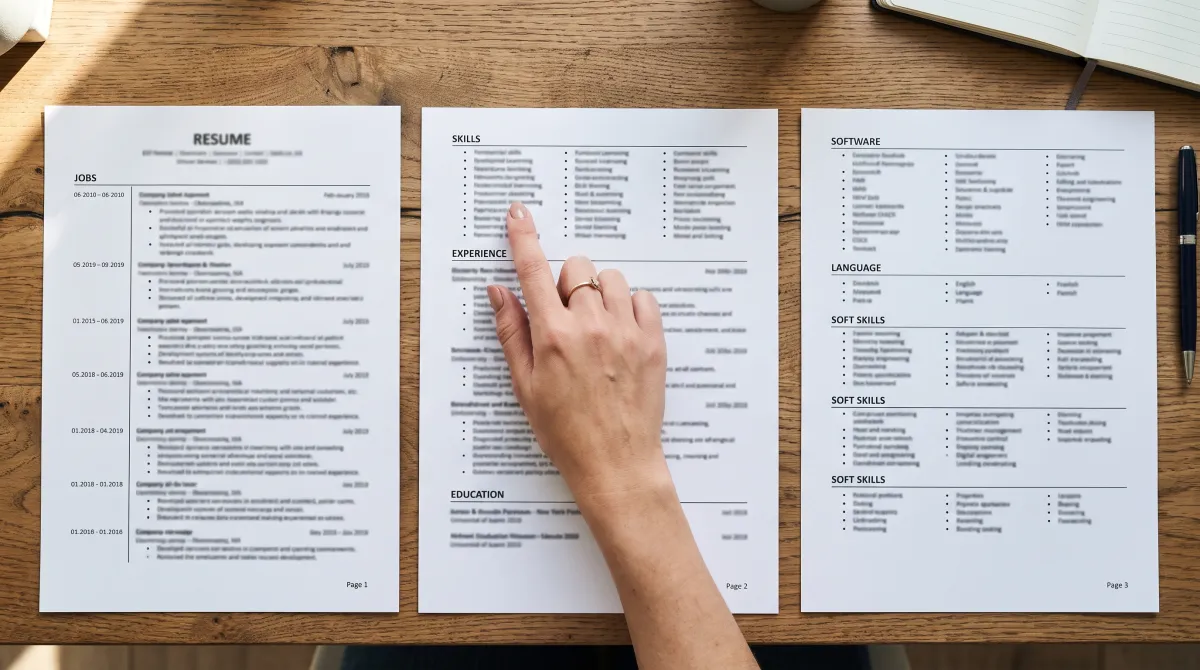
| Your situation | Best format | What goes at the top |
|---|---|---|
| Steady career in one field | Chronological | Current job, then earlier roles in reverse-chronological order |
| Changing careers | Combination | 3 to 5 transferable skills and achievements, then dated job history |
| Student or limited work experience | Chronological, education first | Degree, projects, internships, part-time jobs |
| Employment gap or many short contracts | Combination | Skills summary, then jobs with honest dates |
| Senior, 15+ years of professional experience | Chronological, two pages | Last 10 to 15 years in detail, older roles in one line each |
| Freelancer or consultant | Combination | Project list grouped by client type or skill |
Chronological resume format
The chronological resume format lists your work experience in reverse-chronological order, current job first. Recruiters expect it, and applicant tracking systems find job titles, employers and dates where they look for them. If you have no reason to choose another format, use this one.
Combination resume
A combination resume (also called hybrid) opens with a skills-focused block of 3 to 5 key qualifications, each backed by a result. Your jobs and dates follow below. Use it when your top skills come from different jobs, or from outside the field you want to enter.
Functional resume format
The functional resume format groups everything by skill and hides or drops dates. Many recruiters read a missing timeline as a warning sign, and some parsers struggle to tie skills to jobs. Functional formats rarely earn their place: a combination resume gives you the same emphasis on skills and qualifications without the doubt.
Professional Resume Template You Can Copy
Paste this into Word, Google Docs, Pages or any text editor and replace everything in brackets. It uses one column and standard headings, so it works as an ATS-friendly resume whatever tool you use.
FIRST LAST
[City, State] | [Phone] | [[email protected]] | [linkedin.com/in/yourname]

SUMMARY
[Job title] with [X] years in [field]. [One result with a number].
Skilled in [skill], [skill] and [tool]. Looking to [what you will do in the target role].

WORK EXPERIENCE
[Job Title] | [Company], [City, State] | [Mon YYYY] to Present
- [Action verb] + [what you did] + [result with a number]
- [Action verb] + [what you did] + [result with a number]
- [Action verb] + [what you did] + [result with a number]

[Previous Job Title] | [Company], [City, State] | [Mon YYYY] to [Mon YYYY]
- [Action verb] + [what you did] + [result with a number]
- [Action verb] + [what you did] + [result with a number]

SKILLS
[Skill from the job ad], [Skill], [Software], [Software], [Language: level]

EDUCATION
[Degree], [Major] | [School] | [Year]

CERTIFICATIONS
[Certification name] | [Issuing body] | [Year]
Keep the section names as written. Creative labels such as "Where I've Been" slow down a skimming reader and can confuse a parser. Each heading should tell the reader what sits below it in one or two words.
Resume Examples: Wording for Each Section
The template gives you the boxes. The lines below are hypothetical resume samples you can adapt, one per section, so you can create a resume that sounds like you and still reads fast.
Contact information
Give your name, city and state, phone, one professional email address and a LinkedIn or portfolio link. For US applications, leave out your full street address, date of birth and photo. Put this block in the body of the page, not in the document header, which some systems skip.
Resume summary
Three lines: who you are, one proof, what you want next. A summary works better than an objective about your career goals, because it tells the employer what they get. Three example openings, each a professional resume sample you can adapt:
- Steady career: "Operations coordinator with 4 years in e-commerce logistics. Rebuilt the returns workflow and cut processing time from 3 days to 1. Strong in Excel, NetSuite and vendor calls."
- Career changer: "High school teacher moving into corporate training. Planned and delivered lessons for classes of 25 to 30 every week. Skilled in curriculum design, public speaking and Moodle."
- Student: "Marketing student graduating May 2027 with two internships in social media and events. Grew a campus club's Instagram from 400 to 1,500 followers in one semester."
Work experience bullets
Each bullet follows one formula: action verb, task, result. Weak bullets describe duties; strong ones highlight your experience with a number a hiring manager can picture.
| Before | After |
|---|---|
| Responsible for customer emails | Answered 60+ customer emails a day and kept reply time under 4 hours |
| Helped with hiring | Screened 200 applications and booked interviews for 6 open roles in one quarter |
| Managed the team schedule | Built a shared rota for 14 staff that ended weekend overtime disputes |
Skills
List 6 to 10 top skills that appear in the job ad, in the ad's own words. If the posting says "stakeholder management", write that, not "working with people". To highlight your skills beyond software, start from this list of professional skills employers look for.
Education and certifications
Recent graduates and anyone with limited work experience put education above experience; a college resume template is the same layout with the sections swapped. Include your GPA only if it helps you, for example 3.5 or higher, and drop it after your first couple of jobs.
Add a certification only when it is current and relevant to the job. Professional memberships fit in a short Affiliations line; see how to list affiliations on a resume for wording.
Resume Layout and Font Rules That Keep It ATS Friendly
An applicant tracking system often reads your file before a person does. Layout choices that look smart in a design tool can scramble the text it pulls out.

- One column. Some parsers read two-column layouts straight across, merging lines from both sides.
- Standard font. Calibri, Arial, Georgia or Garamond at 10.5 to 12 pt for body text, 14 to 16 pt for your name.
- Margins of 0.5 to 1 inch and line spacing of 1.0 to 1.15 keep the page easy to read without wasting space.
- No text boxes, icons or skill bars. "Excel: 4 of 5 dots" means nothing to a parser or a recruiter.
- File type. Send .docx or a text-based PDF unless the job application asks for something else. Test the PDF: copy all text and paste it into a plain editor. If it pastes cleanly, a parser can read it.
- Length. One page if you have under about 10 years of experience, two pages beyond that.
The skim test before you send
Zoom out until you can see the whole page and look at it for a few seconds. Can you spot your current title, your last employer and one number? If not, move them up and cut what crowds them.
A professional-looking resume passes that test with clear headings and short lines. Readability helps you make a strong first impression long before your wording gets a chance to impress hiring managers.
The template decides where things go. The format decides what the recruiter sees first, so choose the format for your story before you touch the design.
Free Resume Templates: Where to Get One Without Signing Up
Microsoft Word and Google Docs both include free professional templates inside the app: File, then New, in Word, and the template gallery in Docs. You pay nothing beyond the software you already use.
Online resume builder sites promise a resume in minutes. Some let you design for free and then ask you to pay or subscribe before you can download a usable file, so check the pricing before you spend an hour filling one in. To make a resume online with no account, paste the template above into Google Docs.
The best resume template is whichever one passes the layout checks above and puts your strongest qualification in the top third of page one. A standout design is a tiebreaker, not a reason to choose.
How to Customize the Template in 6 Steps
- Pick the format from the table above, based on your situation today.
- Fill in contact information and save a master copy named "Firstname-Lastname-Resume-Master".
- Write the work experience bullets first, three to five per recent job, each with a result.
- Write the resume summary last, pulling your best result from the bullets.
- Tailor the skills line each time you apply for jobs, using the ad's own terms.
- Run the checks: one column, standard font, one or two pages, clean copy-paste from the PDF.
Every job seeker in 2026 meets the same first reader: a quick skim by a person or a parser. Once the master copy exists, each tailored version takes minutes, not hours.
A tailored summary and skills line will do more to land your dream job than a new design.
Matching Cover Letter Templates for the Same Application
Use the same name block, font and spacing on your cover letter. A matching cover letter makes the job application look like one package. Duplicate your resume file, keep the header and delete the body.
Many cover letter templates come in sets with resume templates. Whichever letter templates you use, keep it to three short paragraphs: why this role, one proof from your work, and a close that asks for an interview.
Your personal brand on paper is consistency. Use the same job title wording on your resume, your LinkedIn profile and your cover letter, so recruiters see one story about your skills and achievements.
Professional Resume Template: Frequently Asked Questions
What is the most professional template for a resume?
A one-column, reverse-chronological template with standard headings, a plain, easy-to-read font such as Calibri or Georgia, and no graphics is the most professional choice. It reads fast for people and parses cleanly in tracking software.
What is the best resume template for professionals?
For most professionals with a steady career, a chronological template is best. Career changers and people returning after a gap do better with a combination resume that leads with three to five key qualifications.
What is a good format for a professional resume?
A good professional format runs contact information, summary, work experience, skills and education, in one column on one or two pages. Use 10.5 to 12 pt body text and margins of 0.5 to 1 inch.
How long should a professional resume be?
One page if you have under about 10 years of experience, two pages beyond that. Senior candidates can keep older roles to one line each so the last 10 to 15 years get the space.
Is there a free professional resume template in Word or Google Docs?
Yes. Word has resume templates under File, then New, and Google Docs has them in its template gallery. Pick a one-column design, or paste the plain-text template from this page into a blank document.
Should a professional resume template include a photo?
No, not for most US jobs. A photo takes space from your experience, and many templates put it in a graphic box that parsers skip. Some countries outside the US still expect one, so follow local custom.
Can I use the same template for a CV?
You can reuse the header, font and section style, but a US academic CV needs extra sections for publications, research and teaching. Keep the resume template for job applications and build the CV as a longer document.
Do I need a different resume template for each job?
No. Keep one template and one master resume, then save a tailored copy per application. Change the summary and skills line to match each job ad and leave the layout alone.