Workplace & Career
Out Of Office For Maternity Leave Message Sample (2026)
Five ready-to-use out of office for maternity leave message samples, plus how to set your auto-reply and name a covering contact. Copy, edit, done.

Writing an out of office for maternity leave message sample should take five minutes, not an afternoon of second-guessing tone. You are about to step away for weeks or months, so the message has one job: tell people you are gone, when you are back, and who to contact in the meantime.
Quick answer
A good maternity leave out of office message states that you are on leave, gives an approximate return date (or says you will follow up on return), and names a colleague with their email for anything urgent. Keep it to three or four sentences and avoid sharing personal medical details.
Key takeaways
- Always include a covering contact with a real email address, not just "the team."
- Use an approximate return window ("early September") rather than an exact date you may have to change.
- Set it on your email and your calendar, and tell your manager before you switch it on.
- You do not owe anyone the word "maternity" if you prefer privacy: "extended leave" is fine.
- Pick the sample below that matches your seniority and how client-facing your role is.
I have managed teams through dozens of parental leaves, and the messages that cause headaches all share one flaw: they leave the reader with nowhere to go. The sender vanishes and the inbox fills with people who do not know who picked up the work.
The samples here fix that. Each one is built to be copied, edited in under a minute, and pasted straight into your email client. If you want the deeper mechanics of the feature itself, our guide to the out of office message covers timing, scheduling, and tone in detail.
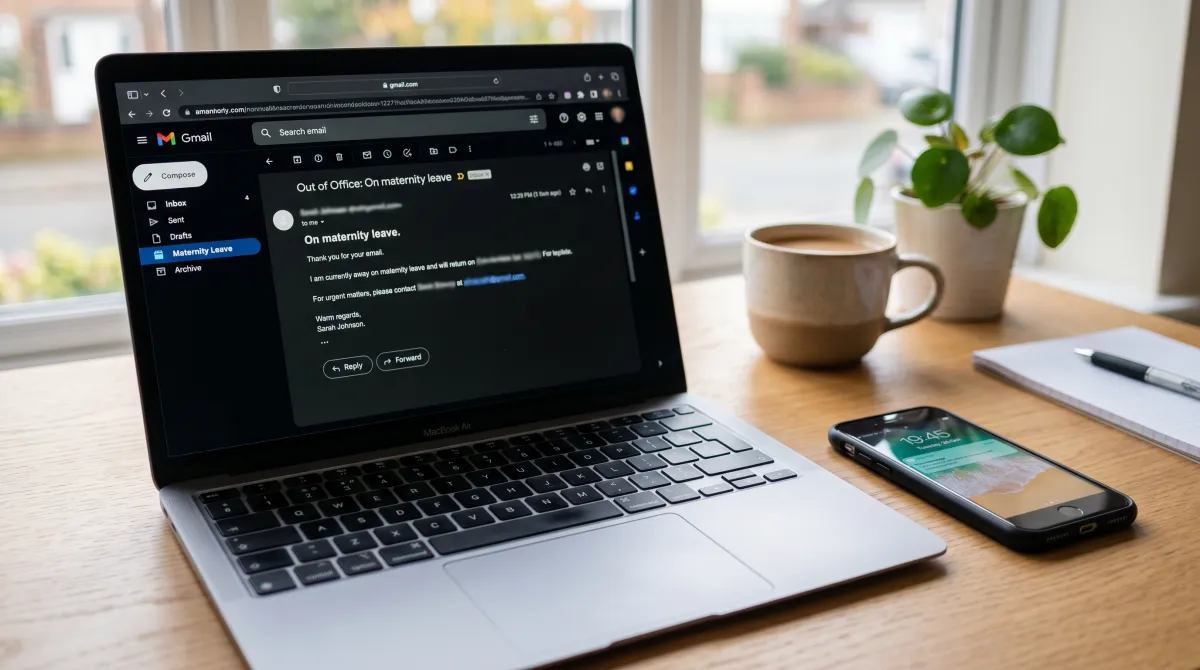
What Is An Out Of Office For Maternity Leave Message?
It is an automatic email reply that runs while you are on maternity or parental leave. Anyone who emails you gets it instantly, so they know you are away and who to reach instead.
It differs from a normal vacation responder in two ways. The absence is long, often three to twelve months, and the handover matters more. A one-week trip can wait. A six-month leave needs a named owner for your work.
How long that absence runs varies widely by country and employer. The global picture of statutory parental leave ranges from a few weeks to over a year, which is exactly why a fixed return date in your message is risky.
A maternity out of office is not about you being away. It is about the reader knowing exactly where to go next.
Treat it as a small piece of operational hygiene. The clearer your message, the fewer interruptions reach you, and the smoother your return.
Out Of Office For Maternity Leave Message Sample: The Practical Guide
Below are ready-to-use samples grouped by situation. Read the one that fits, change the names and dates, and you are done. Each follows the same backbone: status, return window, covering contact.
The simple, all-purpose sample
This is the one most people need. It works for almost any internal or external role and gives nothing away you do not want to share.
Subject: Out of office, on maternity leave
Hello, thank you for your email. I am currently on maternity leave and will not be reading messages until my return in [month, year]. For anything urgent, please contact [Name] at [email]. I will respond to your message once I am back. Best wishes, [Your name].
The formal corporate sample
Use this for senior, regulated, or heavily client-facing roles where tone needs to stay measured.
Thank you for contacting me. I am on maternity leave from [start date] and expect to return in [month]. During this period, [Name] ([email], [phone]) is handling my responsibilities and will be glad to assist. Your email will not be forwarded automatically, so please reach out to [Name] directly for a timely response. Kind regards, [Your name], [Title].
Notice the line that says the email will not be forwarded. It quietly tells the sender that re-sending to you is pointless, which cuts down on duplicate chasing.
The warm, human sample
For collaborative cultures and internal-only inboxes, a little warmth lands well without crossing into oversharing.
Hi there, I am away on maternity leave welcoming a new addition to my family, back around [month, year]. I will not be checking email while I am out. [Name] is covering for me and can be reached at [email] for anything that cannot wait. Thanks for your patience, and I will reply when I am back. [Your name].

The split-coverage sample
When different people own different parts of your job, route the reader instead of dumping one contact on everyone.
Thank you for your message. I am on maternity leave until [month]. To reach the right person quickly: for [topic A], contact [Name A] at [email]. For [topic B], contact [Name B] at [email]. For anything else, [Manager] at [email] can help. I will follow up on my return. Best, [Your name].
The private sample (no medical detail)
You are never obliged to explain why you are out. This version keeps it neutral and is useful if you would rather not announce the pregnancy widely.
Hello, I am currently on extended leave and away from email until [month, year]. [Name] at [email] is my point of contact for urgent matters during this time. I will respond to non-urgent messages after I return. Thank you, [Your name].
Sample comparison at a glance
Not sure which to pick? This table maps each sample to the situation it fits best.
| Sample | Best for | Tone | Names a contact |
|---|---|---|---|
| Simple all-purpose | Most roles, mixed audience | Neutral | One |
| Formal corporate | Senior or client-facing | Professional | One + phone |
| Warm human | Internal, collaborative teams | Friendly | One |
| Split coverage | Cross-functional roles | Practical | Two or three |
| Private | Privacy-conscious senders | Discreet | One |
How To Set Your Maternity Leave Auto-Reply
Writing the text is half the job. Switching it on correctly is the other half. The mechanics differ slightly by email client.
In Outlook, you set it through File, then Automatic Replies, with separate text allowed for people inside and outside your organisation. Our step-by-step walkthrough of the Outlook out of office message shows exactly where each toggle lives.
In Gmail and most webmail tools, it sits under settings as a "vacation responder" with a start and end date. If your provider lets you, set the end date a day or two after your real return so you have a buffer to catch up.
A few rules I enforce with my own team before anyone goes on leave:
- Confirm the covering colleague has actually agreed and knows what they are inheriting.
- Set a start date, not just an end date, so the reply does not switch on early by accident.
- Update your email signature and your calendar status to match the auto-reply.
- Tell your manager the message is live and share the wording.
For the broader etiquette of writing any away message, including subject lines and length, our primer on the out of office email message is the companion piece to this template.
Know Your Leave Before You Write The Date
Your return window should track your actual entitlement, not a guess. In the US, eligible employees get up to 12 weeks of job-protected leave under the FMLA, with the right to return to the same or an equivalent role.
Other countries run far longer statutory leave, and many employers add paid top-up on top. Check your policy first, then phrase the message around the window you are genuinely entitled to take.
This matters because a message that promises a return three weeks before your protected leave ends sets a false expectation, and you end up fielding "are you back yet?" emails while still out.
Common Mistakes To Avoid
The same errors show up again and again. Each one is easy to dodge once you know it.
Naming no contact is the worst. "I am away, I will reply later" leaves urgent work stranded and your inbox flooded. Always route the reader somewhere.
Promising an exact return date is the second trap. Babies and recovery do not run to schedule. Use "around early September" so you are not forced to log in just to edit the date.
Oversharing is the third. Your due date, hospital, or health are nobody's business by default. A clean, neutral line protects your privacy and still does the job.
Good handover is really a management problem, not an email problem. If you lead a team, our management resources cover coverage planning so a single absence never stalls the work.
Related guides
FAQ
How long should a maternity leave out of office message be?
Three to four sentences is ideal. State that you are on leave, give an approximate return window, and name a covering contact with their email. Anything longer tends to get skimmed.
Do I have to say the word "maternity" in my message?
No. "Extended leave" or "on leave" is perfectly acceptable if you prefer privacy. The reader only needs to know you are unavailable and who to contact instead.
Should I give an exact return date?
Use an approximate window like "early September" rather than a fixed date. Return timing often shifts, and a vague window means you will not have to log in just to correct it.
Who should I list as my covering contact?
List the colleague or manager who has formally agreed to handle your work, with their direct email. For cross-functional roles, route different topics to different people so senders reach the right person fast.
Can I set different messages for internal and external senders?
Yes, in Outlook and many corporate email systems. Keep the internal version warmer and the external version more formal, but make sure both name a contact and a return window.