Workplace & Career
Outlook Out Of Office Message: Setup + Templates (2026)
Set an outlook out of office message in minutes: desktop, web, and mobile steps, ready-to-paste templates, and date tips so it switches off itself.

An outlook out of office message is the simplest insurance policy you have before you log off. Set it once, and every sender who emails you while you are away gets a clear, professional reply instead of silence. Skip it, and you come back to a pile of "did you get my email?" follow-ups.
Quick answer
To set an out of office message in Outlook, go to File > Automatic Replies (or Settings > Mail > Automatic replies on the web), toggle replies on, write separate notes for inside and outside your organization, and set a start and end date. The reply sends automatically while you are away and turns itself off on the date you choose.
Key takeaways
- Automatic Replies live under File on desktop and Settings on the web; the steps differ slightly but the result is identical.
- Always schedule a start and end date so the reply switches off on its own.
- Write two versions: one for colleagues, one for external contacts and clients.
- Name a backup contact with an email or phone number, never just "I am away."
- Microsoft 365 and Outlook.com store the setting server-side, so it works even with your laptop closed.
What Is Outlook Out Of Office Message?
An out of the office message in outlook is an automatic reply that Microsoft Outlook sends on your behalf when you are unavailable. The feature is called Automatic Replies (older versions labeled it Out of Office Assistant), and it runs on the mail server, not your device.
That server detail matters. Because the rule lives in Exchange or Outlook.com, your auto-reply keeps firing even if your computer is off and your phone is in a drawer. You are not relying on the app being open.
Good auto-replies do three jobs at once: they confirm receipt, set a return date, and hand the sender a next step. A message out of office outlook reply that only says "I am away" creates more work, because the sender still has to figure out who to ask. Clear coverage is part of healthy workplace communication, not an afterthought.

How To Put Out Of Office Message On Outlook (Desktop)
The classic desktop app is the fastest route if you live in Outlook all day. These steps cover Outlook for Microsoft 365, 2021, and 2019 on Windows, and they answer the common question of how to put out of office message in outlook without hunting through menus.
- Click File in the top-left corner.
- Select Automatic Replies (Out of Office).
- Choose Send automatic replies.
- Tick Only send during this time range and set start and end dates.
- Type your reply in the Inside My Organization tab.
- Open the Outside My Organization tab and write a separate, more formal note.
- Click OK.
If you do not see the Automatic Replies button, you are on a personal IMAP or POP account rather than an Exchange one. In that case, build a rule under File > Manage Rules & Alerts with a reply template, and leave Outlook running. This is the one scenario where the app must stay open.
Mac users follow a near-identical path: open Tools > Automatic Replies, tick the box, and fill in the same two fields. If it is your first time, this same panel is also where you learn how to create a out of office message in outlook from scratch, with no add-ins required. The web steps come next.
The best auto-reply does not say you are gone. It tells the sender exactly who to email and when you will answer.
Out Of Office Message For Outlook On The Web And Mobile
Outlook on the web (Outlook.com and Microsoft 365 in a browser) hides the setting in a different place, and the mobile app hides it in a third. Here is how to put an out of office message on outlook everywhere else.
Outlook on the web: click the gear icon, then open Mail > Automatic replies. Toggle it on, set your time range, write your note, and save. You can also tick options to block your calendar and decline new meeting invites for that window, which keeps your schedule clean while you are out.
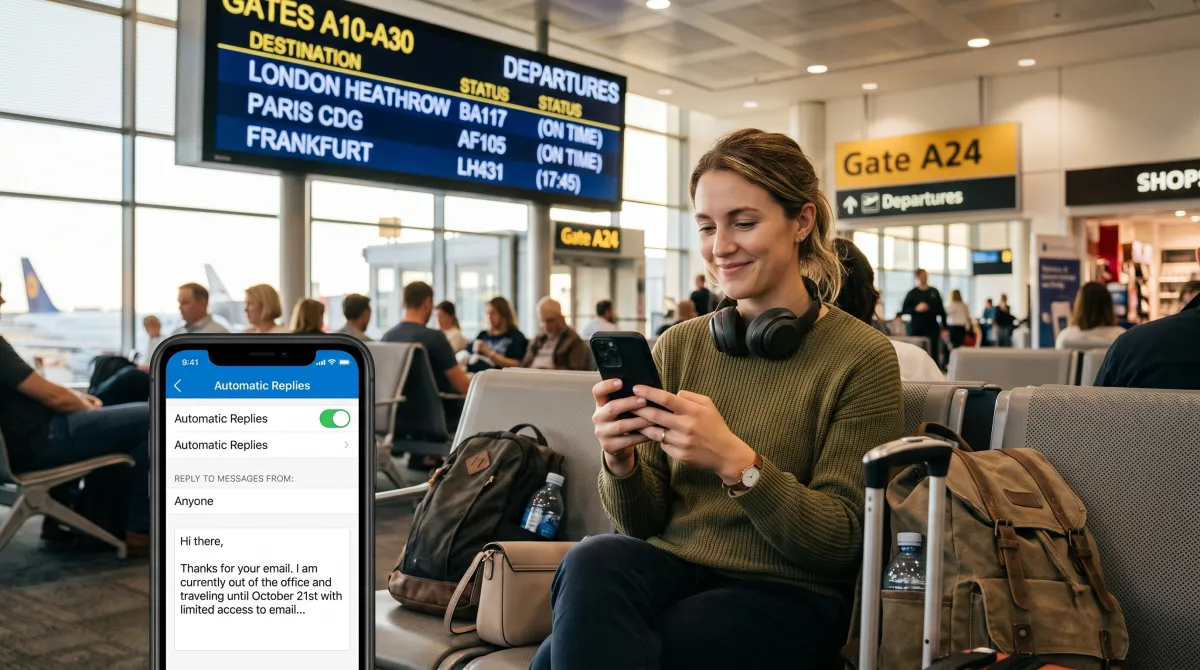
Outlook mobile (iOS and Android): tap your account icon, open Settings, select your account, then tap Automatic Replies. The mobile layout mirrors the web, including the internal-versus-external split for work accounts.
An out of office outlook message set on any of these surfaces syncs across all of them, because the rule is stored centrally. Set it on your phone from the airport, and your desktop respects it too. There is no need to repeat the setup on each device.
Outlook Out Of Office Message: The Practical Guide To Templates
The mechanics take two minutes. The wording is where most people stall. Below are three templates you can paste and edit. Keep the return date specific and always name a real backup.
Standard vacation reply
Thanks for your email. I am out of the office until Monday, 16 June, with limited access to email. For anything urgent, please contact Sara Lima at [email protected]. Otherwise, I will reply when I return.
Client-facing external reply
Thank you for reaching out. I am away until 16 June and will respond on my return. For immediate account support, please email our team at [email protected] or call +351 210 000 000.
Short internal reply
Out today, back tomorrow. For anything that cannot wait, ping the team channel or message Tiago directly.
If you want a deeper library of phrasing for different situations, our guide on how to write a strong out of office message walks through tone, length, and the lines worth cutting.
| Element | Include it? | Why |
|---|---|---|
| Return date | Always | Sets a clear expectation and stops repeat emails. |
| Backup contact | Almost always | Gives urgent senders a real next step. |
| Reason for absence | Optional | "Vacation" is fine; medical or personal detail is not needed. |
| Response promise | Yes | "I will reply on my return" beats vague silence. |
| Tone match | Yes | Formal for clients, lighter for the internal team. |
For longer absences, a sharper out of office email message can also point people to a shared inbox or a help desk, so nothing waits on one person while you are unreachable.
How To Set Dates So The Reply Switches Off By Itself
The date range is the part people skip, and it causes the most embarrassment later. When you tick the time range and set both a start and an end, Outlook turns the reply on and off for you. No reminder in your calendar, no Monday-morning cleanup.
Set the start to your last working hour and the end to the morning you return, not the night before. That way an email arriving at 8 a.m. on your return day still gets the auto-reply, and you have time to clear the backlog before promising live answers.
If your plans change while you are away, you can edit the end date from the mobile app in seconds. The setting is server-side, so the new date applies instantly across every device without reopening your laptop.
A Pre-Departure Checklist Before You Log Off
An out of office message for outlook is one piece of leaving cleanly. Run a thirty-second check before you close the laptop, and your week back starts calm instead of buried.
- Confirm the end date matches your real return day, not your travel day.
- Read the external version out loud; it is the one clients see.
- Tell your named backup they are the backup, so the handoff is not a surprise.
- Decline or delegate any meetings that fall inside the window.
- Check that calendar blocking is on if you do not want invites stacking up.
This short ritual is the difference between a reply that protects your time and one that quietly leaks work. Five lines now save fifty follow-ups later.
Common Mistakes To Avoid
Three errors show up again and again. First, forgetting the end date, so the reply keeps firing for weeks after you are back. Always set the time range instead of toggling manually.
Second, writing one generic note for everyone. The internal and external split exists for a reason: colleagues want a quick pointer, clients want reassurance and a formal tone. One message rarely serves both well.
Third, oversharing. You do not owe senders your medical history or your full itinerary. A clean out of the office message outlook stays short, names a backup, and stops there. If you manage a team, setting a shared standard for coverage is part of good team management habits, so absences never leave a client hanging.
FAQ
How do I set an out of office message in outlook?
Go to File > Automatic Replies on desktop, or Settings > Mail > Automatic replies on the web. Turn replies on, set a start and end date, write your note, and save. The reply sends automatically until the end date.
What should an out of the office message in outlook include?
It should include your return date, a backup contact with an email or phone number, and a short promise to reply when you are back. Keep it to two or three sentences and avoid sharing personal details.
Does an out of office message for outlook work when my computer is off?
Yes, for Exchange and Outlook.com accounts. The Automatic Replies rule runs on the mail server, so it keeps sending even with your device powered down. Only IMAP or POP rule-based replies need Outlook left running.
Can I send different replies to internal and external senders?
Yes. Work accounts show two tabs: Inside My Organization and Outside My Organization. Write a quick note for colleagues and a more formal version for clients and outside contacts.