Workplace & Career
Out of Office Message: 7 Templates to Copy (2026)
Write an out of office message that sets dates, reply expectations, and a backup contact. 7 copy-paste templates plus the mistakes to avoid before you leave.

A good out of office message is the smallest piece of writing with the biggest reach. Every sender who emails you while you are away reads it, and it quietly tells them how organized you are. Most people write theirs in ten rushed seconds before a flight. You can do better in two minutes.
Quick answer
A strong out of office message states the dates you are away, says when to expect a reply, and names a backup contact for urgent matters. Keep it to three or four short sentences, set a clear return date, and avoid sharing why you are gone or where you went.
Key takeaways
- Three jobs: set the dates, set reply expectations, give a backup contact.
- Write two versions when you can, one for internal colleagues and one for external clients.
- Never reveal personal travel details or your full schedule to strangers.
- Set an end date so the auto-reply switches off the day you return.
- Test it by emailing yourself before you leave.
What Is An Out-Of-Office Message?
An out-of-office message is an automatic email reply that fires while you are away from work. The sender gets it instantly, so they know you are not ignoring them. It is sometimes called an auto-reply or an autoresponder, and it has been a standard email feature for decades.
The job is simple. A clear message out of office does three things: it confirms you are away, it sets a realistic return date, and it points urgent senders to someone who can help. Whether you call it an out-of-office message or an out of-office message, the rules are the same.
It also protects your time off. When people know you will reply on a specific day, they stop chasing and chase your backup instead. That single line of redirection is what keeps your inbox from becoming a wall of anxiety while you are gone. If you manage a team, model it well, because people copy what their manager does with boundaries.
What Every Out-Of-Office Message Needs
The best templates all share the same skeleton. Memorize these five parts and you can write a message for any situation in under a minute.
- A greeting. One line, warm, not robotic.
- Your status and dates. Say you are away and give the exact return date.
- Reply expectations. Tell them when you will respond, or that you will not until you return.
- A backup contact. Name a colleague and their email for anything urgent.
- A sign-off. Your name, and your title if it helps external senders.
Leave out anything that does not serve the sender. They do not need to know you are at a wedding in Lisbon or recovering from surgery. Vague is professional here. Specific dates, vague reasons.
Order matters too. Put the return date and backup contact in the first two lines, because most people skim an auto-reply for exactly those two facts and close it. Everything else is optional polish that the busy sender will never read.
Out Of The Office Message Examples You Can Copy
Below are out of the office message examples for the situations you actually face. Copy one, swap the brackets, and you are done. Each one is short on purpose, because nobody reads a long auto-reply.
1. Standard vacation (external)
"Hello, and thanks for your email. I am out of the office until [date] with limited access to email. For anything urgent, please contact [name] at [email]. Otherwise I will reply when I return. Best, [Your name]."
2. Short break (one or two days)
"Hi, I am away from my desk until [day]. I will respond to your email then. For urgent items, reach [name] at [email]. Thanks for your patience."
3. Internal colleagues
"Hey, I am out until [date]. [Name] is covering my projects, so loop them in on anything that cannot wait. I will catch up on Slack and email when I am back."
4. Sick leave
"Thank you for your message. I am out of the office on sick leave and will reply once I return. For urgent matters, please contact [name] at [email]. I appreciate your understanding."
5. Holiday or public holiday
"Hello, our office is closed for [holiday] and will reopen on [date]. I will respond to your email after we return. For urgent support, contact [name] at [email]. Happy holidays."
6. Parental leave
"Thank you for reaching out. I am on parental leave until [date] and will not be checking email. [Name] is handling my responsibilities and can be reached at [email]. I will reply to your note when I return."
7. Conference or travel
"Hi, I am at [event] this week with limited email access until [date]. Replies will be slower than usual. For anything time-sensitive, contact [name] at [email]. Talk soon."
Need a sample of out of office message for a longer absence? Combine the vacation template with a second backup contact and add a line setting expectations: "Given the length of my leave, I may not see your message until [date]." That honest sentence saves you from a flooded inbox on day one.
One more out of the office sample message works well for client-facing roles: "I am away until [date] and replies may be delayed. [Name] at [email] can help while I am out, and I will personally follow up on your note the week of [date]." It promises a real follow-up without committing you to check email on the beach.

Office Out Of Office Message Mistakes To Avoid
A bad office out of office message does more harm than no message at all. These are the errors I see most often when I audit a team's auto-replies.
- No end date. The reply keeps firing weeks after you are back. Always set the off date.
- Oversharing. "I am at my sister's wedding in Porto" tells strangers your home is empty.
- No backup contact. Urgent senders hit a dead end and escalate to your boss.
- Trying to be funny. A clever joke ages badly and confuses clients who do not know you.
- Forgetting to turn it on. Test it by emailing yourself the night before you leave.
One more: do not promise a fast reply you cannot keep. "I check email twice a day" sets a trap. If you are truly off, say so and let your backup carry it.
Watch the tone for external senders too. A breezy internal note that works for teammates can read as careless to a client weighing whether to trust you with a project. When in doubt, default to the plainer external version and save the personality for people who already know you.
Your out of office message is a boundary written in advance. Vague reasons, specific dates, one clear backup.
How To Set Up Your Message For Out Of Office
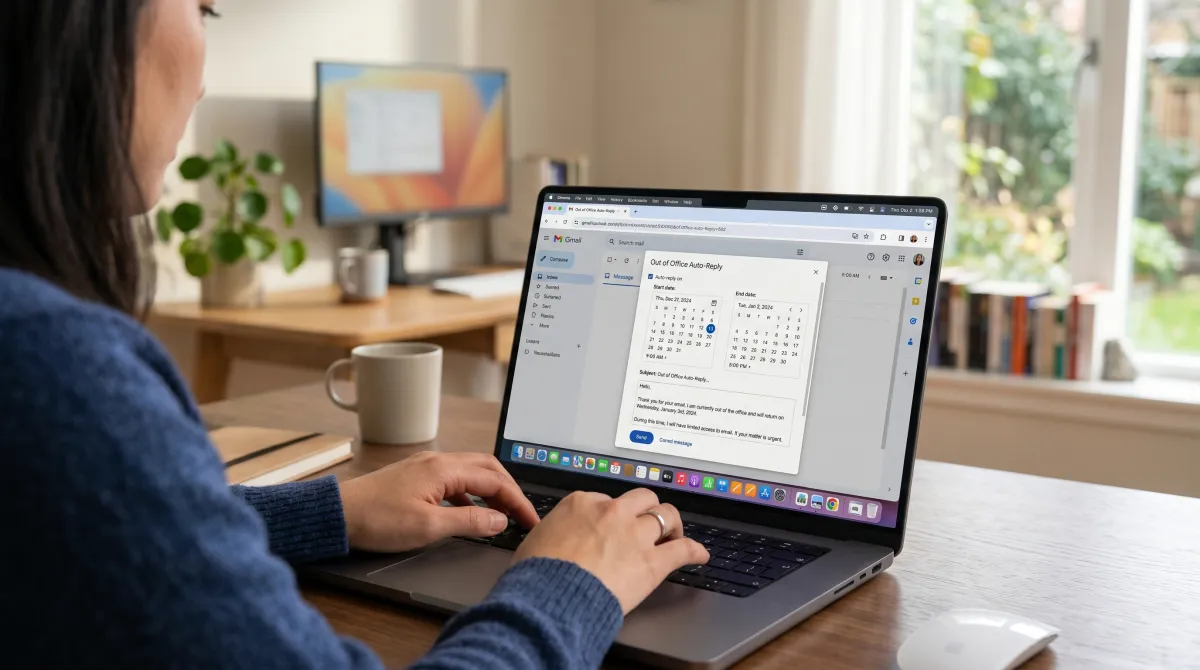
Writing the words is half the work. Turning on the message for out of office in your email client is the other half, and it differs by platform. The two big ones are Outlook and Gmail, and both let you schedule start and end times so you never forget to switch it off.
In Outlook, the feature is called Automatic Replies and lives under File settings. You can set separate text for people inside and outside your organization, which is the cleanest way to handle internal and external messages. Our step-by-step Outlook out of office message guide walks through every screen.
In Gmail and Google Workspace, the same tool is called Vacation responder, found in Settings under the General tab. You pick a first day and last day, write your text, and choose whether to reply only to contacts. For the full walkthrough across providers, see our out of office email message setup guide.
Whichever platform you use, schedule the dates rather than toggling it on and off by hand. Manual toggles are how stale replies survive into the next quarter. Add a reminder to your calendar for the morning you return, so you can confirm the auto-reply switched off and clear anything your backup escalated.
Related guides
FAQ
What is a good office out of office message?
A good office out of office message names your return date, sets reply expectations, and gives one backup contact for urgent matters. Keep it to three or four sentences and avoid personal travel details.
How do I write an out-of-office message?
Start with a short greeting, state that you are away and when you return, tell senders when to expect a reply, name a backup contact with their email, and close with your name. An example out of the office message is: "I am out until [date]; for urgent matters contact [name] at [email]."
What should a message for out of office include?
It should include the dates you are away, a clear return date, what senders can expect, and a named backup. Leave out the reason for your absence and any details about your location.
How long should an out of office message be?
Three to four short sentences is ideal. Long auto-replies get skimmed, so put the return date and backup contact up front where every sender will see them.
Should I set different messages for internal and external senders?
Yes, when your email client supports it. Internal colleagues need project handover details, while external clients only need your return date and a backup contact. Outlook makes this split easy.