Software
Job Scheduling Software: 3 Types Explained (2026)
Job scheduling software splits into three unrelated categories: field dispatch, staff shifts, and IT batch automation. See which one actually fits your team.

Job scheduling software means three different things depending on who searches it: an app that dispatches technicians to job sites, a tool that builds staff shift rosters, or an enterprise platform that runs automated IT batch jobs overnight. Buying the wrong one wastes a signup and a month of setup. This guide shows which category fits your problem, plus the top pick in each.
Quick answer
Job scheduling software splits into three categories that solve different problems. Field service tools like Jobber dispatch technicians to job sites, staff scheduling tools like Homebase build shift rosters, and enterprise platforms like ActiveBatch by Redwood automate IT batch jobs. Pick based on what you are actually scheduling: people, sites, or servers.
Key takeaways
- Job scheduling software covers three unrelated categories: field dispatch, staff shifts, and IT batch automation.
- Field service picks like Jobber start around $39/month for a solo user.
- Staff scheduling tools like Homebase build shift rosters and mostly price per location, not per user.
- Enterprise IT schedulers like ActiveBatch by Redwood and BMC Control-M run unattended batch jobs across servers, priced by quote.
- Most small business searches for this term actually mean field service dispatch, not IT automation.
What "Job Scheduling Software" Actually Covers
The phrase is a catch-all that three unrelated industries use for their own product. A plumbing company means a dispatch calendar, the kind of tool covered in our scheduling app guide for small businesses. An HR manager means a shift roster. An IT director means a tool that fires off backup scripts and data jobs at 2am without anyone watching.
Confusing the three wastes time. A dispatch tool like Jobber cannot run a batch job on a database server, and an enterprise scheduler like Control-M has no concept of a technician's drive time to a customer's address.
The sections below cover each category with a top pick, real pricing, and where to go for a deeper comparison. Start with whichever description matches the problem you actually have.
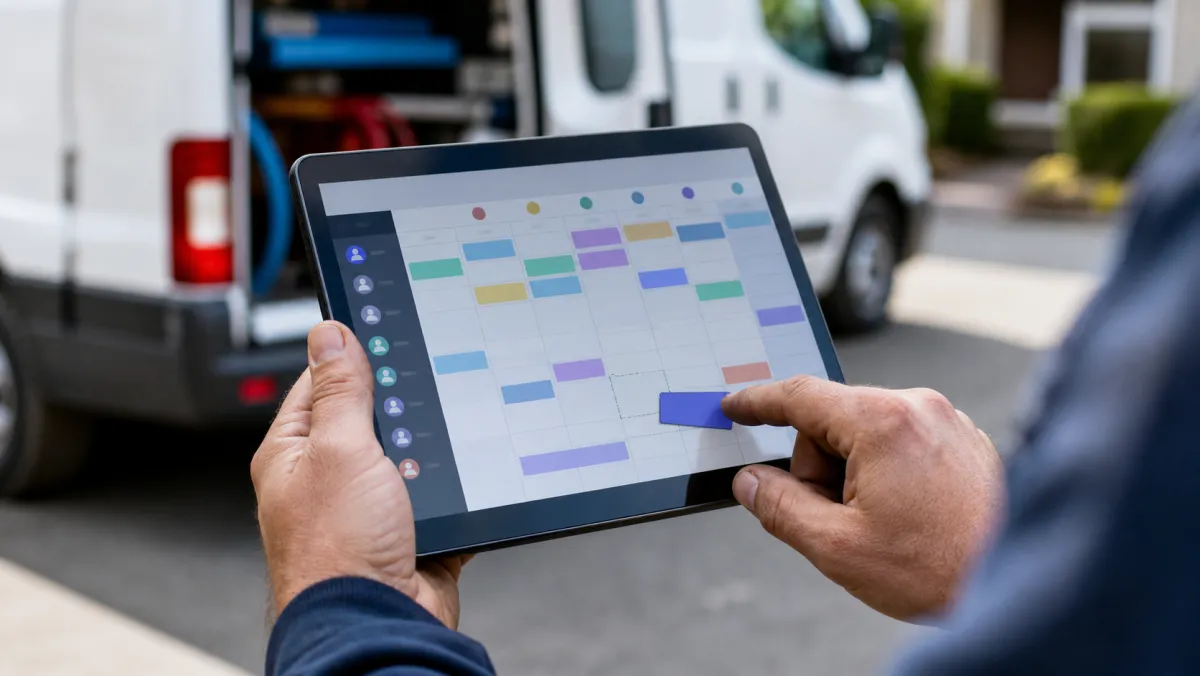
Field Service Job Scheduling Software
This is what most small business owners mean: a tool that assigns work orders to technicians, routes them to an address, and tracks the job until it is invoiced. It grew out of paper dispatch boards, now generally called field service management.
Best field service dispatch pick
Jobber From $39/mo
Jobber's drag-and-drop calendar shows who is free and slots in a same-day job in seconds, with transparent public pricing that is rare in this category.
Pros
- Public pricing, no sales call required
- Client hub for quotes, approvals, and payment
- Comfortable from 1 to 15 techs
Cons
- Deeper automation needs the Grow plan
- Reporting is lighter than enterprise tools
Housecall Pro suits a solo contractor who wants to book and dispatch jobs within a week, and ServiceTitan fits crews past 15 technicians that need deep reporting and custom quotes.
Staff and Shift Job Scheduling Software
If nobody drives to a customer's address and the real problem is who works which shift, this is the category you want. It handles rosters, clock-ins, time-off requests, and shift swaps for hourly teams.
Best for single-location shift teams
Homebase Free / from $24/mo (billed annually)
Homebase's free Basic plan covers scheduling and time tracking for up to 10 employees at one location, which is why so many small shops start here.
Pros
- Genuinely usable free plan
- Payroll available as an add-on
- Fast to set up without training
Cons
- Free tier caps out at 10 employees
- Advanced scheduling needs the Plus plan
Multi-location teams that need labor-law compliance usually do better on Deputy, and restaurant groups tend to land on 7shifts or Sling. Our free scheduling app for employees guide compares top picks on real 2026 pricing.
Restaurant and hospitality crews often need shift swaps and tip-pooling on top of the basics, which is why we cover that setup separately in our restaurant scheduling app breakdown.
Enterprise IT Job Scheduling Software (Batch Automation)
This is the original meaning of the term in computing. A job scheduler runs unattended batch jobs, backups, and data transfers across servers, mainframes, and cloud systems on a set trigger, whether that is a time, a file arrival, or another job finishing.
Vendors now call this workload automation, and the category has consolidated around a handful of platforms built for IT and DevOps teams running SAP, Oracle, or multi-cloud pipelines.
Best enterprise batch scheduler
ActiveBatch by Redwood Custom quote only
ActiveBatch by Redwood coordinates dependency-based workflows across SAP, Oracle, Windows, and IBM systems from one console, with a prebuilt jobs library that cuts custom scripting.
Pros
- Wide connector library across enterprise systems
- Handles complex, cross-platform job dependencies
Cons
- No public pricing, sales process required
- Overkill for a small IT team
BMC Control-M and Fortra's JAMS cover similar ground for larger, regulated environments. Redwood also sells Tidal Automation as a lighter option, while VisualCron fits small Windows-based teams that want a lower-cost, self-hosted scheduler. None of these tools help a service business dispatch a technician, so skip this category unless you are actually scheduling servers.

Job Scheduling Software Compared
Here is how the three categories stack up side by side, since the right price and setup time depend entirely on which one you actually need.
| Category | Top pick | Starting price | Who it is for |
|---|---|---|---|
| Field service dispatch | Jobber | $39/mo | Trades and service businesses |
| Staff and shift scheduling | Homebase | Free / $24/mo | Hourly teams at one or more sites |
| Enterprise IT batch scheduling | ActiveBatch by Redwood | Custom quote | IT and DevOps teams |
The best job scheduling software is not the one with the best reviews online, it is the one built for what you are actually scheduling: people, sites, or servers.
How to Pick the Right Category
Ask what gets scheduled, not who uses the software
If a human drives somewhere to do the job, you need field service dispatch. If a human clocks in at a fixed location, you need staff scheduling. If nothing human touches the trigger at all, you need an IT batch scheduler.
Check whether invoicing needs to live in the same tool
Field service teams usually want the schedule and the invoice in one app, so a finished job turns into a sent bill automatically. Staff scheduling tools rarely touch invoicing at all, since payroll is the connected system instead.
Decide if you want scheduling bundled with CRM and marketing
Some service businesses want the calendar and the sales pipeline on one login instead of stitching two products together. Our CRM for small business guide covers that combined route.
The GoHighLevel CRM review breaks down one option that bundles scheduling with lead follow-up and marketing in a single login.
Match your budget to the category, not the cheapest tool you find
Field service and staff tools publish real pricing starting under $50 a month. Enterprise IT schedulers rarely publish a number at all, since pricing depends on job volume and the systems you connect.
If you only need simple appointment booking rather than dispatch or shifts, our best scheduling app for small businesses guide covers that lighter category too.
Job Scheduling Software: FAQ
What does job scheduling software actually mean?
It depends on the industry. Field service businesses use it to mean dispatch software, HR teams use it to mean shift scheduling, and IT teams use it to mean batch job automation across servers.
What is the best job scheduling software for a small business?
For a service business dispatching technicians, Jobber is the strongest small business pick. For hourly staff shifts, Homebase covers most single-location teams for free.
Is job scheduling software the same as employee scheduling software?
Not always. Employee scheduling software builds shift rosters for staff. Job scheduling software can mean that, but it also covers technician dispatch and IT batch automation, two very different products.
How much does enterprise job scheduling software cost?
Most enterprise platforms like ActiveBatch by Redwood, BMC Control-M, and Fortra's JAMS require a custom quote based on job volume and connected systems, with only a few vendors publishing a public starting rate.
Can I use a free tool instead of dedicated job scheduling software?
A spreadsheet or calendar app works for a handful of jobs, but it will not route technicians, track job status, or trigger a batch job on a server. Dedicated software pays for itself once volume grows past a few jobs a week.