Software
Project Tracking Tools (2026): 7 Picks Tested by Operators
Project tracking tools compared for 2026: 7 picks tested by operators, with free plans, pricing and the best project management software for your team.

Most teams don't fail because they lack a plan. They fail because the plan lives in three places: a spreadsheet, a chat thread, and someone's head. Good project tracking tools kill that fragmentation by putting tasks, owners, deadlines and status in one view everyone trusts.
I've run delivery for product and ops teams for over a decade, and I've onboarded most of these platforms myself. This is an operator's take on what actually holds up, not a feature dump.
Quick answer
For most teams, ClickUp is the best all-round project management software because it covers task management, time tracking and multiple project views on a usable free plan. Asana wins on clean workflows, monday.com on visual simplicity, and Microsoft Project on complex portfolio management.
Key takeaways
- The best project management tool is the one your team opens daily, not the one with the longest feature list.
- Free project management software is enough for small teams under 10 users; pay only when you hit real limits.
- Match the tool to your project management methodologies: agile project boards, Gantt-style timelines, or hybrid project management.
- Time tracking and resource management matter more than you think once headcount grows.
- Test the free trial with one live project before you commit a whole team.
What Is the Best Project Management Software Setup?
The best project management software gives you three things at once: a clear task management system, visible project timelines, and a single place for project updates. Everything else is negotiable.
Before you compare logos, write down your project management needs. A two-person studio and a 200-person engineering org need very different management solutions. One needs simple project tracking; the other needs enterprise project portfolio management software.
A good project manager cares less about features and more about adoption. The right project management tool is the one that survives contact with a busy week, not the one that demos well.
If you're still mapping out your wider stack, our guide to productivity tools for teams pairs well with whichever tracker you pick here.
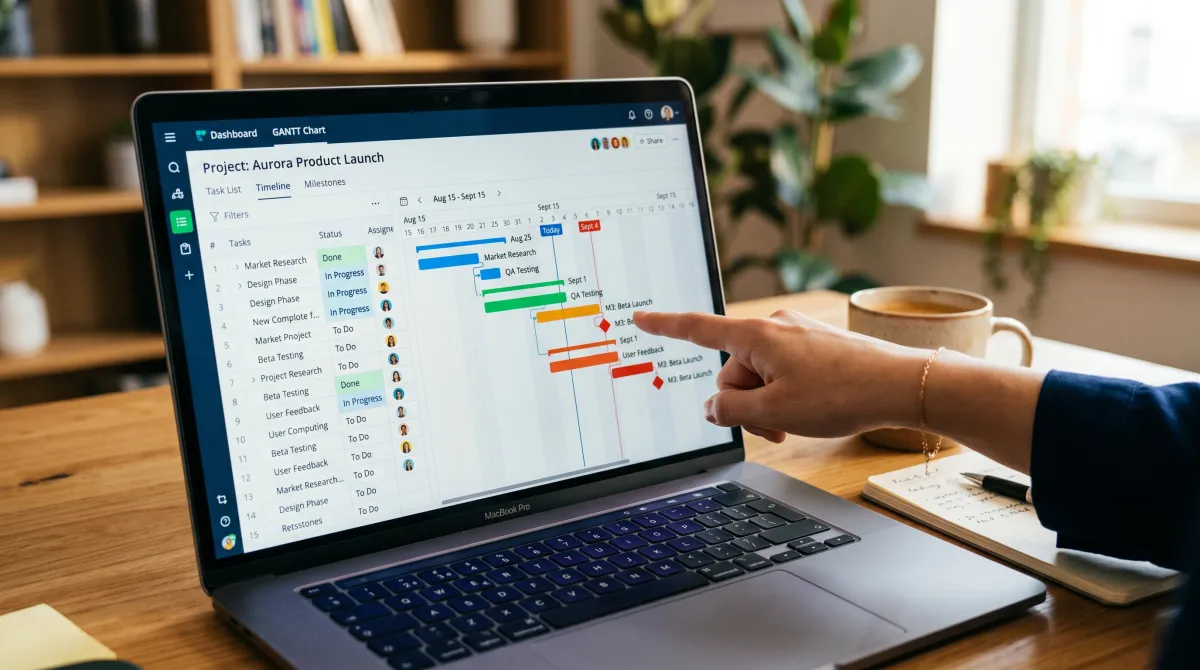
Best Project Tracking Tools Compared
Here's how the top project management software options stack up on price, core project management features, and who they fit. These are the project management tools in 2026 worth a real free trial. Prices are entry paid tiers; most offer a free plan too. This is the 10 best shortlist trimmed to the seven that earn one.
| Tool | Best for | Free plan | From (paid) | Standout |
|---|---|---|---|---|
| ClickUp | All-round work management | Yes (unlimited users) | $7/user/mo | Multiple project views |
| Asana | Clean team workflows | Yes (up to 10 users) | $10.99/user/mo | Workflow automation |
| monday.com | Visual project timelines | Yes (up to 2 seats) | $9/user/mo | Color-coded boards |
| Trello | Simple kanban tools | Yes (generous) | $5/user/mo | Drag-and-drop ease |
| Microsoft Project | Complex project management | No | $10/user/mo | Portfolio management |
| Wrike | Cross-team scaling | Yes (limited) | $10/user/mo | Resource management |
| Jira | Software development | Yes (up to 10 users) | $7.53/user/mo | Agile project management |
Top Project Management Software, Tool by Tool
Below are the picks worth your free trial. Each is a genuine project management platform, not a glorified to-do list.
Best all-round project management tool
ClickUp From $7/user/mo
ClickUp is the most flexible project management software here. The free plan is unusually generous, and you get list, board, Gantt and calendar views in one workspace, which is why I default to it for mixed teams.
Pros
- Best free project management software for unlimited users
- Multiple project views and built-in time tracking
- Strong task management features
Cons
- Can feel overwhelming at first
- Mobile app lags the web app
Best for clean workflows
Asana From $10.99/user/mo
Asana keeps projects tidy. If your team drowns in project data, its rules and project plan templates impose order without a steep learning curve. The free project management tier covers up to 10 users.
Pros
- Intuitive task management software
- Excellent automation and project updates
- Great collaboration tools
Cons
- Gantt timelines need a paid plan
- Pricier per seat at scale
Best for visual teams
monday.com From $9/user/mo
monday.com turns project planning and scheduling into color you can read at a glance. Non-technical teams adopt it fastest, and the visual project timelines make status obvious in meetings.
Pros
- Best for visual project timelines
- Flexible project boards and dashboards
- Good budget management add-ons
Cons
- Free plan capped at 2 seats
- Costs climb with add-ons
The right tool isn't the one with the most features. It's the one your team actually opens on a Monday morning.

Match the Tool to Your Approach to Project Management
There's no universally best project management tool, only the right project management tool for your workflow. Your approach to project management decides which platform fits, so start there before you trial anything.
Agile teams want a tool that supports sprints and backlogs, which is why Jira dominates software development. Waterfall and ops teams lean on Gantt-based project planning and visualization, where Microsoft Project still leads.
Most modern teams run hybrid project management, mixing kanban tools with timelines. That's the range of project management work cloud-based project management suites like ClickUp and Wrike cover best, since one platform handles both styles without forcing a methodology on you.
Free Project Management Software vs Paid
A free plan covers a lot. For small teams, free project management software options handle tasks, basic project timelines and a kanban board with no card needed. Trello and ClickUp lead here, and either is a strong free project management tool to start with.
You outgrow free when you need resource management, advanced reporting, or an open-source project management setup you can self-host. That's when a paid project management solution earns its keep, and weighing free and paid tiers side by side saves real money.
Project management software for small teams rarely needs the enterprise edition. Management software for small teams should stay light: pay for the one capability you actually hit a wall on, not the full bundle.
Teams running lean budgets should also weigh free time tracking software and a free applicant tracking system as separate point tools rather than paying for an all-in-one suite they won't fully use.
How to Choose Project Tracking Tools
Choosing project management software comes down to fit, not hype. The best project management software in 2026 still rewards the same discipline: run this quick filter before you commit your team to any platform. The best practice is to test, not to read another comparison table.
- Map your project management process first. Agile project workflow, waterfall, or hybrid project management each favor different tools.
- Write a one-page project management plan. Knowing your phases makes it obvious which work management software you actually need.
- Check the views. A robust set of tools should offer board, list and Gantt so you can track project status your way.
- Test collaboration. Document management, comments and communication tools keep updates off email.
- Mind the ceiling. If you'll scale past 10 users, confirm pricing and enterprise tools before you migrate.
- Run a real trial. Load one live project, not a demo, and see what sticks after a week.
This is the approach I use to find the best fit on any stack, and it's how you keep projects moving instead of just documented. The best personal project management tool is often just the team tool with a private space the rest of the org never sees.
For a finance-adjacent example of how tracking software earns trust, our breakdown of security software for small business shows the same buy-test-scale logic in a different category.
Enterprise and Portfolio Management Software
Once you run dozens of projects across teams, you need enterprise project portfolio management software, not another board. The choice shifts from task management to planning and resource management across the whole org.
This is where Microsoft Project, Wrike and Smartsheet pull ahead. These management tools provide cross-project dashboards, capacity planning and budget management that lighter apps simply can't match for complex project management.
If your project management needs include hundreds of contributors and formal governance, that's the tier to shortlist. Below that scale, you're paying for portfolio management you won't use.
Beyond Projects: Inventory and Sales Tracking
Project trackers aren't the only system small teams need. Small business inventory tracking software keeps stock counts honest, and the best inventory tracking software small business owners use links directly to sales tracking software.
Keep these separate from your project management apps unless one platform genuinely does both well. Most don't. A focused project management platform plus dedicated inventory tracking software for small business beats a bloated suite that does everything poorly.
If you also manage hiring, pairing the best applicant tracking system with your project tools keeps team productivity tools consistent across the org. A clear stack beats a clever one.
Managers running quarterly reviews alongside delivery may find our review feedback examples handy when status meetings turn into performance chats.
Project Tracking Tools: FAQ
What is the best project tracking tool?
ClickUp is the best project tracking tool for most teams in 2026 because it combines task management, time tracking and multiple project views on a strong free plan. Asana and monday.com are close alternatives depending on whether you prefer clean workflows or visual boards.
What are 5 project management tools?
Five widely used project management tools are ClickUp, Asana, monday.com, Trello and Microsoft Project. Each suits a different need, from simple kanban tools to enterprise project management software with portfolio management.
What are the tools for project monitoring?
Project monitoring tools include Gantt charts, kanban boards, dashboards, time tracking and status reports. Most modern project management software bundles these so you can track project status and project updates in one place.
What are the 4 stages of PM?
The four stages of project management are initiation, planning, execution, and closure. Some frameworks add monitoring and control as a fifth running alongside execution, which is where project tracking tools do the heavy lifting.
What is the best inventory tracking software for small business?
For small business inventory tracking software, Zoho Inventory and inFlow are popular, affordable picks. They handle stock, orders and basic sales tracking without the cost of enterprise tools.
What is good time tracking software for small business?
Toggl Track and Clockify are solid time tracking software for small business, and both offer free time tracking software tiers. Many project management apps like ClickUp also include built-in time tracking.