Workplace & Career
Best Employee Onboarding Software (2026): 6 Tools Tested
See the best onboarding software tools for 2026: employee onboarding software compared by price, features, and new hire experience, from Gusto to Workday.

Employee onboarding software turns a chaotic first week into a structured, repeatable process. It automates paperwork, training assignments, and check-ins so new hires feel prepared instead of overwhelmed. In 2026, the right platform can cut ramp time by weeks and lift early retention.
Quick answer
Employee onboarding software is a digital system that automates new hire paperwork, training, and task tracking from offer acceptance through the first 90 days. The best options in 2026, including Gusto, BambooHR, and Rippling, combine e-signatures, onboarding checklists, and reporting so HR teams can onboard consistently without manual follow-up.
Key takeaways
- Employee onboarding software automates paperwork, training, and task tracking for new hires.
- Gusto, BambooHR, and Rippling lead the small and midsize business market in 2026.
- Pricing typically runs $8 to $25 per employee monthly, plus a base platform fee.
- Strong onboarding software improves 90-day retention and speeds time to full productivity.
- Choose a tool based on integrations, team size, and how much automation you need.
What Is Employee Onboarding Software?
Employee onboarding software is a digital platform that manages every step of bringing a new hire from signed offer to fully ramped team member. It replaces scattered spreadsheets, paper forms, and email chains with one connected onboarding system.
Some vendors market the same product as new employee onboarding software, but the function stays the same: get every new employee productive without manual chasing.
The concept builds on traditional onboarding practices, but adds automation, reminders, and reporting that a human coordinator cannot track alone at scale.
Most platforms sit inside a broader workplace technology stack, connecting to payroll, benefits, and identity systems. This integration is what separates true onboarding software from a simple checklist app.
At its core, hr onboarding software behaves like other management software: it centralizes employee records, employee data, and employee information in one place instead of scattered folders and email threads. Among the many software solutions HR teams evaluate each year, a genuine onboarding solution has to support the full employee management lifecycle, not just day one paperwork.
A new employee typically receives a welcome email, digital forms, and a task list before their first day even starts. Preboarding activity like this sets the tone before anyone steps into the office.
Managers get a parallel view, with reminders to prepare equipment, schedule introductions, and assign a buddy or mentor. Nothing depends on memory or a sticky note on a monitor.
This is different from a generic employee onboarding process built entirely around manual checklists and in-person paperwork. Software adds tracking, accountability, and a record of what happened and when.
Most tools also handle compliance documents, onboarding documents, tax forms, and policy acknowledgments with legally binding e-signatures. That alone removes a major source of first-week friction for HR teams.
Training assignment is another core function, pushing courses, videos, or reading material based on the employee's role and start date. Progress gets tracked automatically, without a manager chasing status updates.
For the HR team, the real value is visibility. One dashboard shows every new hire's onboarding progress, flags anyone falling behind, and reports on onboarding checklists completed across the company.
How Employee Onboarding Software Works, Step by Step
The process usually starts the moment an offer letter is signed, not on the employee's first day. That gap, often two to four weeks, is where most onboarding software adds the most value.
During preboarding, the system sends offer confirmations, benefits enrollment links, and required tax and identification forms. New hires complete these on their own schedule, before ever setting foot in the office.
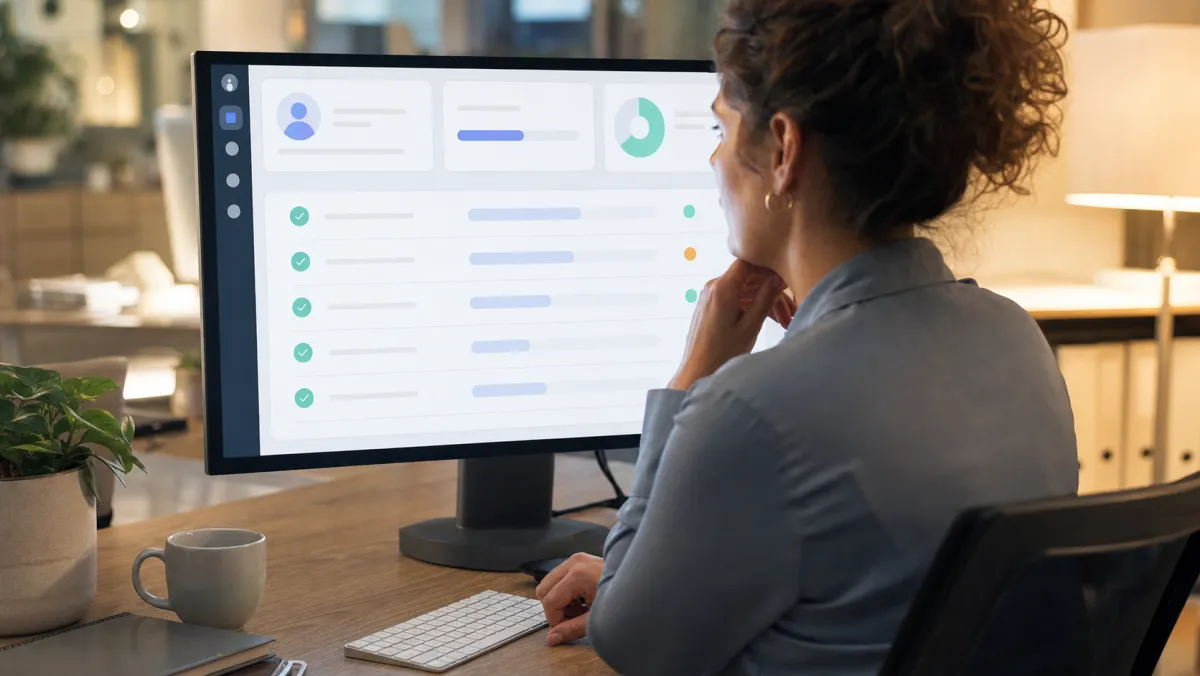
Day one typically triggers a welcome sequence: equipment provisioning tasks for IT, a schedule of introductions, and access requests for the tools the new hire needs. Each onboarding task fires automatically based on the start date.
This kind of automated onboarding workflow is the core mechanism that separates modern onboarding platforms from paper checklists. Rules trigger tasks, assign owners, and send reminders without anyone opening a spreadsheet.
Training modules typically unlock in stages across the first 30, 60, and 90 days, matching the pace at which a new hire can realistically absorb information. Nothing dumps everything on day one.
Check-ins get scheduled automatically too, prompting managers to meet with the new hire at set intervals and log how things are going. Managers who manage onboarding for several new hires at once benefit most from this kind of automation.
Good management practice treats these check-ins as coaching moments, not compliance boxes to tick. The best onboarding software makes that easy by prompting specific questions rather than a blank note field.
The full onboarding journey, from signed offer to 90-day review, lives inside one onboarding system instead of a folder of forms passed between departments. By day 90, most systems generate a completion report showing every task finished and every form signed.
That report becomes the official record of a compliant onboarding process, and it helps HR complete onboarding on schedule instead of chasing signatures manually.
Why Onboarding Software Is Essential for the New Hire Experience
First impressions form fast. Research on new hire experience consistently shows that employees decide within the first few weeks whether they made the right choice in joining a company.
A disorganized start, missing equipment, unclear expectations, no introductions, signals that the company is not ready for them. That impression is hard to reverse later, even with a strong manager.
Onboarding software removes most of that risk by guaranteeing a consistent baseline experience. Every new hire gets equipment requests filed, accounts created, and a schedule waiting on their first morning.
Communication is the other lever. Automated nudges keep managers, IT, and HR aligned on who owns which task, so nothing falls through the cracks between departments.
A strong onboarding experience early on shapes employee experience for months afterward. Companies that get this right see measurable gains in employee engagement and retention, not just smoother first weeks.
Software alone will not fix a broken culture, but it can enhance the employee experience by removing friction that has nothing to do with the work itself.
Employee engagement research links strong onboarding directly to retention: new hires who go through a structured onboarding program are significantly more likely to stay past their first year. That single stat justifies the investment for most HR leaders.
Self-service access matters too. New hires can revisit forms, policies, and training material whenever they need to, instead of digging through email threads or asking a manager to resend a document.
A new hire decides if they belong long before they finish ramping. Onboarding software just makes sure that decision goes your way.
There is also a fairness dimension. When onboarding runs on a system instead of a manager's personal habits, every new hire gets the same quality of welcome regardless of team or location.
For remote and hybrid teams especially, software fills the gap that used to be covered by hallway conversations and in-person introductions. It becomes the connective layer that helps new team members feel oriented even before meeting the full team in person.
Core Onboarding System Features That Actually Matter
Not every onboarding platform needs every feature, but a handful separate serious tools from a glorified form builder. Here is what to look for before you commit budget to a new system.
Comparing onboarding features side by side before you buy prevents paying for modules your team will never touch.
- Digital offer letters and e-signatures. Legally binding signing that closes the loop before day one, without printing or scanning anything.
- Automated onboarding workflows. Rules-based onboarding checklists that assign owners across HR, IT, and the hiring manager automatically.
- Preboarding portals. A self-service hub where new hires complete forms and review information before their start date.
- Onboarding tool integrations. A genuine onboarding tool connects to your existing HRIS instead of duplicating employee information across systems, and this data flow is what lets IT and payroll truly support onboarding rather than working against it.
- Training and course assignment. Role-based learning paths that unlock automatically as the new hire progresses.
- Reporting and completion tracking. A dashboard that flags overdue tasks and lets HR track onboarding progress in real time across the whole company.
Good onboarding software ensures new hires follow the same verified process every time. Onboarding software facilitates communication between HR, IT, and hiring managers so nothing falls through the cracks.
The software also acts as an equalizer for small teams. Onboarding software helps a two-person HR department deliver the same consistent onboarding experience as a company ten times its size.
Efficient onboarding starts with removing duplicate data entry, and integrating new hires into payroll, benefits, and IT systems at once is what makes that possible. Centralized onboarding resources, from policy PDFs to training videos, mean a new hire never has to ask a coworker where to find something.
Because onboarding and offboarding processes usually share the same task engine, most vendors bundle both rather than selling them as separate products.
Usability deserves more weight than most buyers give it. The right onboarding software solution treats usability as a real feature, not an afterthought bolted onto a feature-heavy platform. A tool that new hires find confusing will get skipped, and skipped tasks defeat the entire purpose of the system.
Many teams start simpler, mapping their process against a standard employee onboarding checklist before shopping for software. That exercise usually reveals exactly which features are non-negotiable versus nice to have.
The Best Employee Onboarding Software Tools in 2026
The market has consolidated around a handful of platforms that handle onboarding well, each with a different sweet spot by company size and complexity. Pricing below reflects publicly listed 2026 rates.

| Platform | Best for | Pricing (2026) | Onboarding strength |
|---|---|---|---|
| Gusto | US SMB payroll and onboarding | From $49/mo + $6/person | Built-in offer letters and checklists |
| BambooHR | Growing HR teams | From $10/employee/mo | Strong preboarding portal and reporting |
| Rippling | Companies wanting one unified system | From $8/user/mo + base fee | Deep IT and app provisioning automation |
| HiBob | Mid-market, culture-focused teams | Custom, roughly $8 to $25/employee/mo | Social onboarding and engagement tools |
| Workday | Large enterprises | Custom, six-figure implementations typical | Enterprise HCM depth and compliance |
| Deel | Global and remote hiring | From $49/mo, EOR from $599/employee/mo | Compliant onboarding across 100+ countries |
Gusto
Gusto pairs payroll with onboarding tools built for small US businesses. Offer letters, I-9 and W-4 forms, and a new hire checklist come standard on every plan.
Pricing starts at $49 a month plus $6 per person on the Simple plan, rising to $80 plus $12 on Plus and $180 plus $22 on Premium. For a company under 20 employees, that keeps onboarding tools inside a payroll budget most owners already have.
BambooHR
BambooHR is one of the most recognized names in small and midsize HR software, and onboarding is a core strength rather than an add-on. New hires get a branded portal designed to welcome new employees, with tasks, e-signatures, and a welcome video option.
Plans run $10 per employee monthly on Core, $17 on Pro, and $25 on Elite, with a practical floor of roughly $250 a month for companies under 25 employees. Reporting and org chart tools are strong enough to double as a lightweight HRIS.
Rippling
Rippling treats onboarding as one module inside a broader unified employee system covering payroll, IT, and device management. A new hire triggers a chain of automated actions, from laptop provisioning to Slack access to benefits enrollment.
The base Unity platform starts at $8 per user monthly plus roughly $35 in base fees, but most companies end up paying $20 to $35 per user once IT and app modules are added. That makes it a strong fit for tech-forward teams, less so for a tight budget.
HiBob
HiBob, known as Bob, leans into culture and employee engagement more than any competitor on this list. Onboarding flows include social touches like team shoutouts and a personalized welcome page for each new hire.
Pricing is quote-based, but reported ranges cluster around $8 to $25 per employee monthly depending on modules and company size. Teams that value engagement and a modern interface often rate HiBob's experience above more utilitarian competitors.
Workday
Workday sits at the enterprise end of the market, built for large organizations with complex compliance and reporting needs. Onboarding is bundled inside its Human Capital Management suite rather than sold as a standalone product.
Pricing is fully custom, but public benchmarks put core HCM costs around $20 to $40 per employee monthly at scale, with implementation projects often running into six figures. Workday is rarely the right choice for a company under a few hundred employees.
Deel
Deel built its reputation on global hiring, and its onboarding tools reflect that focus with compliant workflows across more than 100 countries. It handles contractor onboarding and full employer of record onboarding through one interface.
Contractor management starts at $49 a month, while employer of record onboarding starts at $599 per employee monthly on the standard plan and $899 on enterprise tiers. That premium buys local compliance expertise most companies could not replicate in-house.
How to Choose the Right Employee Onboarding Software
Start with company size, since it filters out most of the wrong options immediately. A 15-person startup and a 3,000-person enterprise have almost nothing in common in terms of onboarding needs.
Next, map your existing tech stack. A platform that plugs directly into your payroll and HRIS saves hours of manual data entry compared to one that needs custom integration work.
Every company's onboarding software needs differ by headcount, hiring volume, and compliance complexity. Start by writing down what handling onboarding manually actually costs your team in hours each week.
Hiring volume matters as much as headcount. A company hiring 5 people a year has very different needs than one hiring 5 people a week, even at the same total size.
Some platforms let HR tailor onboarding paths by department, role, or location, which matters if a warehouse hire and a remote marketing hire need very different first days. Personalized onboarding like this also improves how new hires rate their experience in post-hire surveys.
Budget conversations should include the base fee, per-person cost, and any implementation charge, since some vendors quote a low headline price that grows fast once you add modules. Ask for a total cost estimate at your actual headcount before signing.
Test the new hire side of the product, not just the admin dashboard. A tool that looks impressive to HR but confuses a first-day employee will hurt the exact experience it is supposed to improve.
Check whether the platform supports remote and international hires if that is relevant to your company. Not every tool handles multi-country compliance well, and that gap only shows up after you have already signed a contract.
Ask current customers about onboarding support quality, not just sales reps. Onboarding software touches compliance and legal forms, so a slow support response during a real issue can create real risk.
If your team spends hours each week on repetitive setup tasks, onboarding software can help reclaim that time for actual coaching instead of paperwork chasing. Picking onboarding software for your business comes down to matching features to real hiring volume, not chasing the longest feature list.
Finally, run a pilot with one or two upcoming hires before rolling the tool out company-wide. A short trial surfaces workflow gaps that a sales demo never will.
Rolling Out Onboarding Software Without the Mess
Implementation is where most onboarding software projects lose momentum, usually because nobody owns the rollout full time. Assign one person as the project lead before you sign a contract, not after.
Migrate one hiring cohort at a time instead of switching every open role on the same day. That keeps the workload manageable and gives you a chance to fix workflow mistakes early.
Train hiring managers on the system directly, not just HR staff, since managers own many of the day-one and week-one tasks. A short recorded walkthrough usually beats a live training session nobody remembers.
Keep the first version of your workflow simple, even if the software supports far more complexity. You can always add steps once the basics are running smoothly for a few hiring cycles.
The best results come from onboarding processes that align with how the company actually hires, not a generic template copied from a vendor demo. Pairing onboarding with automated workflows removes the chance of a missed step, but only once the underlying process makes sense on paper.
Collect feedback on the onboarding experience from your first few new hires directly, asking what was confusing and what they wished existed. That input is more useful than any vendor case study for fixing your own workflow.
A platform that automates the onboarding process end to end still needs a human checking in, especially during the first few hiring cycles. Revisit the workflow every two quarters as headcount, tools, or policies change.
Onboarding Software Is Evolving: Where It Goes Next
Most onboarding software is designed around a single trigger: a signed offer letter that sets every downstream system in motion. The next wave leans heavily on AI to personalize the experience for each new hire automatically.
Instead of one fixed checklist, the system adapts based on role, location, and even how a person prefers to learn. Chat-based assistants are already answering common new hire questions inside several platforms, reducing the volume of repetitive tickets sent to HR.
Predictive analytics are also moving into the space, flagging new hires who show early signs of disengagement based on task completion patterns and check-in responses. That gives managers a chance to intervene before someone quietly decides to leave.
Integration depth keeps expanding too, with more platforms connecting directly to learning systems, IT provisioning tools, and even physical badge access. Companies that treat hiring and onboarding as one continuous process, not two separate hand-offs, tend to see the biggest retention gains as these tools mature.
Effective onboarding will keep depending on the same idea even as the tools get smarter: a clear, human-checked signal that says this person is starting, now go. Great onboarding will always come down to whether a new hire feels ready on day one, no matter how much automation runs behind the scenes.
Whatever the interface looks like in a few years, the fundamentals stay the same. A new hire needs clear information, working equipment, and a sense that someone planned for their arrival, and software is simply the mechanism that makes that reliable at scale.
Related guides
FAQ
What is the best employee onboarding software?
There is no single best option for every company. Gusto and BambooHR suit small and midsize businesses, Rippling fits tech-forward teams wanting one unified system, and Deel or Workday fit global or enterprise hiring needs.
How does onboarding software help new hires specifically?
It gives new hires a clear task list, digital forms they can complete on their own schedule, and access to training material from day one. That removes the confusion and waiting that usually defines a bad first week.
Does employee onboarding software work for small businesses?
Yes. Tools like Gusto and BambooHR are built with small business pricing and simplicity in mind, often starting under $50 a month plus a small per-employee fee.
What is the difference between onboarding software and an HR system?
Onboarding software focuses specifically on the first 90 days of employment, while a full HR system, or HRIS, manages the entire employee lifecycle including payroll, benefits, and performance. Many modern platforms combine both functions.
Can one platform handle both onboarding and offboarding?
Most major platforms, including BambooHR, Rippling, and Gusto, support offboarding workflows alongside onboarding, since both rely on the same task automation and document tracking infrastructure.
How much does employee onboarding software cost in 2026?
Small business tools typically start between $8 and $25 per employee monthly plus a base platform fee, while enterprise systems like Workday often involve custom pricing and six-figure implementation projects.