Software
What Is HRIS? Human Resource Information System Guide (2026)
HRIS stands for Human Resource Information System: the software solution HR teams use to manage employee data, payroll, and benefits in one place.

If you have ever asked what is HRIS while staring at a spreadsheet full of employee records, the short answer is simple: an HRIS is the software system that stores and manages your company's core employee data. It is the digital filing cabinet, minus the paper cuts. Most HR information systems share one job: replace scattered files with a single clean record per employee.
Quick answer
HRIS stands for Human Resource Information System. It is software that centralizes employee data such as personal details, job history, pay, benefits, and time off, so HR teams do not manage that information in scattered spreadsheets or paper files.
Key takeaways
- HRIS is the core system of record for employee data, distinct from broader HCM suites and payroll-only tools.
- A good HRIS reduces manual HR tasks like onboarding paperwork, PTO tracking, and benefits administration.
- Operational, tactical, and strategic HRIS types serve different company sizes and goals.
- BambooHR, Rippling, and Gusto lead the small to mid-market HRIS space in 2026; Workday and SAP SuccessFactors dominate enterprise.
- Choosing the right HRIS depends on headcount, integration needs, and whether payroll should live inside the same platform.
What Is HRIS? A Human Resource Information System, Defined
HRIS stands for Human Resource Information System, which answers the common question of what does HRIS stand for in plain terms. Break down the acronym and you get exactly what it does: it is an information system built to hold human resource data, including names, addresses, job titles, salary history, benefits elections, and compliance documents.
A human resource information system is not the same as a filing cabinet with a login screen. The best HRIS platforms connect records so that a single change, like an address update, flows through payroll, benefits, and compliance reporting automatically. That is the core hris definition worth remembering before you compare vendors. Modern HR systems increasingly run in the cloud, so updates sync everywhere without a nightly server job.
HRIS software sits inside the much wider world of business software categories that companies stack together, from accounting tools to project trackers. Knowing where HRIS fits in that stack helps HR professionals avoid buying overlapping tools.
People often ask about hris vs other acronyms in the HR software world. Here is the practical distinction most vendors use in 2026: an HRIS is the core employee data system. An HRMS, or human resources management system, usually adds payroll and time tracking on top. An HCM suite goes further, layering in recruiting, performance, and learning.
In real life, hris and hrms get used interchangeably by vendors, so the label on a product page matters less than what the tool actually does for your HR team. The hris meaning that matters most is the one tied to your actual daily hr tasks.
What Does an HRIS Actually Do? Core HRIS Features
At its core, an HRIS handles the operational backbone of core HR: the recurring hr tasks that eat up an HR professional's week if done by hand. Most HR teams use an HRIS to manage onboarding, PTO, and compliance from one login, replacing manual hr processes with a shared system of record instead of five separate spreadsheets.
- Employee data management. A single record per person, covering contact details, job history, and documents.
- Benefits administration. Enrollment, plan changes, and carrier connections during open enrollment.
- Time and attendance. PTO requests, approvals, and accrual balances tracked automatically.
- Onboarding and offboarding. Digital paperwork, e-signatures, and equipment checklists for new hires.
- Compliance reporting. EEO-1, ACA, and I-9 documentation stored in one searchable place.
- Self-service access. Employees update their own employee information instead of emailing HR.
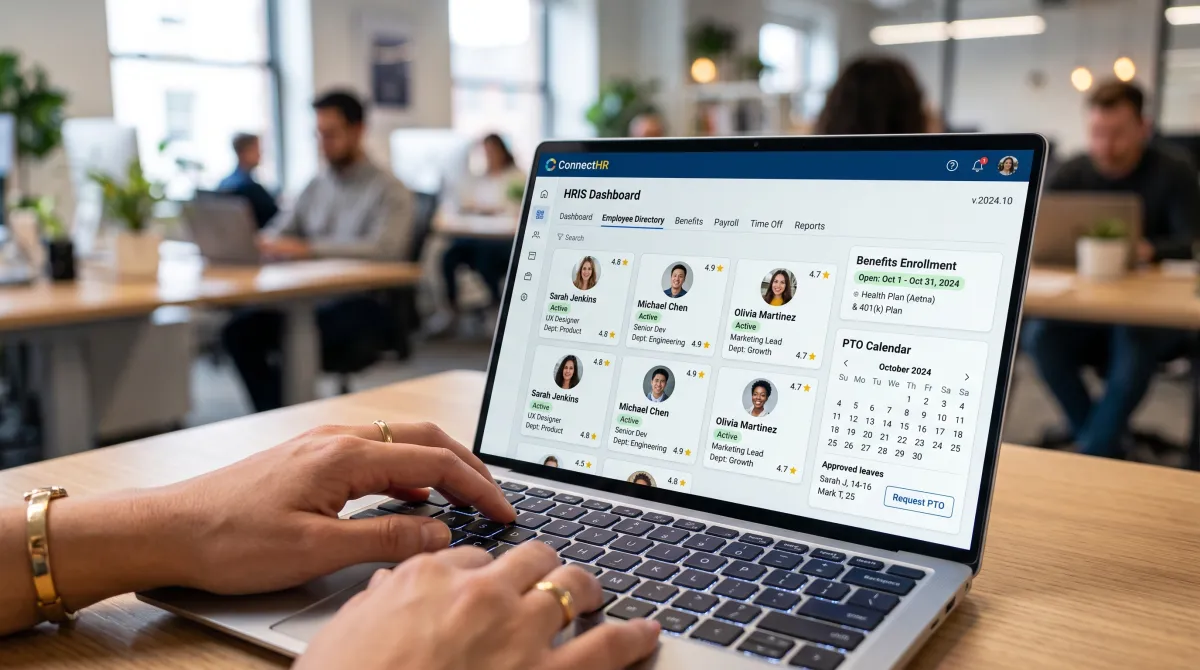
Most modern HRIS software bundles these hris features into one dashboard, so an HR team is not toggling between five different logins to answer one employee question. The best features of HRIS software also streamline HR reporting, since one clean data source feeds every dashboard.
Employee records deserve the same scrutiny you would apply when vetting security software for small business, since an HRIS holds sensitive personal and pay data that needs proper access controls.
Types of HRIS: Operational, Tactical, and Strategic
Not every HRIS system serves the same purpose. Vendors and HR practitioners generally group this type of system into three tiers based on what job it does.
| Type | Primary Job | Best Fit |
|---|---|---|
| Operational HRIS | Runs day-to-day tasks: payroll, attendance, benefits | Small and mid-size companies |
| Tactical HRIS | Supports hiring, training, and compensation planning | Growing HR teams with a recruiting function |
| Strategic HRIS | Feeds workforce analytics into long-term planning | Larger orgs with dedicated HR analysts |
A limited-function hris covers just one or two of these hris functions, like payroll alone. A comprehensive hris tries to cover all three in a single platform, which is where tools like Rippling and Workday position themselves. An HRIS may also bolt on a separate payroll system through an add-on rather than building it natively.
Benefits of an HRIS for Your HR Team
The use of HRIS has grown fast as hybrid and remote teams need one shared source of truth instead of five local spreadsheets. The benefits of HRIS show up fastest in the hours an HR team gets back each week, since one update now syncs everywhere instead of three re-entries.
An HRIS also helps with accuracy. When employee data lives in one place instead of five spreadsheets, fewer payroll errors and benefits mismatches slip through. That alone justifies the cost for most companies over 20 employees, and it frees up key HR hours for actual people work.
The real value of an HRIS is not the software. It is the hours your HR team gets back to actually talk to people instead of chasing paperwork.
In practice, an HRIS can help a lean HR team punch above its weight, handling the hr function for a 200-person company with the headcount that used to manage 50. It also keeps performance review cycles on schedule, the same conversations covered in our guide on what to say in a performance review.
Best HRIS Software Compared (2026)
Picking the right hris for your business usually comes down to company size, budget, and whether you want payroll built in. Common hris examples like BambooHR, Rippling, Gusto, ADP, and Workday take very different approaches, as this table shows for 2026.
| HRIS | Best For | Starting Price |
|---|---|---|
| BambooHR | Small to mid-size businesses, easy onboarding | From $10/employee/month (Core plan) |
| Rippling | Fast-growing teams unifying HR, IT, and payroll | Custom, modular pricing |
| Gusto | US small businesses focused on payroll | From $49/month base plus $6/employee |
| ADP | Companies wanting an established payroll-first vendor | Custom quote |
| Workday | Enterprises with 1,000+ employees, global payroll | Custom, six-figure implementation typical |
Best for easy onboarding
BambooHR From $10/employee/mo
The most approachable hris platform for small and mid-size teams. Strong self-service tools and a clean interface that does not require a dedicated HRIS admin.
Pros
- Fast setup, minimal training needed
- Solid performance review and time tracking add-ons
Cons
- Payroll, benefits, and time tracking are separate add-ons
- Limited depth for complex global compliance
Best for HR, IT, and payroll in one place
Rippling Custom, modular pricing
Rippling built its hris solution around automation: HR-defined rules push new hires through onboarding, payroll, and device provisioning at once. Modular pricing means the quote depends on which hris capabilities you turn on.
Pros
- Deep IT and app-provisioning integration
- Strong automation for onboarding workflows
Cons
- Module pricing can surprise buyers who skip a detailed quote
- Overkill for teams that just need core HR
Best for payroll-first small business
Gusto From $49/mo + $6/employee
Gusto wins when payroll is the main pain point. It pairs a straightforward hris system with payroll, benefits, and basic HR tools built for teams under 200 people.
Pros
- Simple setup for US-based small businesses
- Transparent, published pricing
Cons
- Less depth for multi-country or enterprise HR
- Fewer advanced workforce analytics than Rippling or Workday
Enterprise buyers weighing Workday against SAP SuccessFactors are really choosing between two flavors of the same category. Both are marketed as HRIS, though technically both have grown into full human resource management system and human capital management suites. SAP-heavy IT estates tend to favor SuccessFactors; everyone else tends to land on Workday.
How to Choose an HRIS for Your Business
Choosing an HRIS starts with headcount and complexity, not feature lists. A 15-person startup and a 1,500-person enterprise need almost nothing in common from their human resources software. These are the key HRIS factors worth comparing line by line.
- Company size. Under 200 employees, look at BambooHR or Gusto first. Over 1,000, start the Workday or SAP conversation.
- Payroll needs. If you want hris and payroll in one login, Gusto or Rippling save you an integration.
- HRIS integration. Check how the hris platform connects to your existing applicant tracking system, accounting software, and single sign-on.
- Cloud vs on-premise. A cloud-based hris updates automatically and needs no server. An on-premise hris gives more control over hris data but adds IT overhead most small teams do not want.
- Implementation timeline. Implementing an hris at enterprise scale can take 6 to 18 months. A comprehensive hris for a small business usually launches in weeks, though moving to a new system still means a short parallel run before the old spreadsheets retire.

When you evaluate examples of HRIS on your shortlist, ask your HRIS vendor for a live demo using your own headcount and use case, not the canned demo data. Every hris comparison should start by asking what job you need done first, since that is how you choose the right HRIS instead of just the most popular one.
The fastest way to find the right HRIS is to test the same three tasks, running payroll, approving PTO, and pulling a compliance report, in every vendor demo.
Software solution decisions like this also benefit from checking review sites like G2 for real user feedback before signing a multi-year contract, especially at the enterprise tier where switching later is expensive. Choosing the best hris also means asking how the vendor handles hr tech updates and support during your first renewal.
For teams that already run part of their operation on tools like productivity software built for teams, look for an HRIS that plugs into that stack instead of forcing a second source of truth. Most modern hris tools now ship with pre-built connectors for the common project and communication apps, which helps streamline HR without adding a sixth login.
The future of HRIS leans toward AI-assisted HR information, with tools that flag compliance gaps and answer employee questions before an HR professional has to. If you want to explore HRIS options further or learn more about HRIS pricing for your exact headcount, request live demos from two or three vendors before you sign anything.
HRIS FAQs
What is an example of HRIS?
BambooHR, Gusto, Rippling, Workday, and SAP SuccessFactors are all examples of HRIS. Smaller companies typically start with BambooHR or Gusto, while large enterprises tend to run Workday or SAP.
Is Workday a HRIS system?
Yes. Workday is commonly categorized as an HRIS, though it has grown into a broader human capital management suite that also covers finance, recruiting, and workforce planning for large enterprises.
Is SAP a HRIS system?
SAP SuccessFactors is SAP's HRIS and HCM product. It functions as an HRIS for core employee data and adds talent management modules on top, and it is typically favored by companies already running SAP for finance and operations.
Is HRIS the same as payroll?
No. Payroll is one function that an HRIS can include, but the core job of an HRIS is managing employee data. Some HRIS platforms, like Gusto, bundle payroll in; others, like BambooHR, treat it as an add-on.
What is a CRM?
A CRM, or customer relationship management system, tracks interactions with leads and customers. It solves a different problem than an HRIS, which tracks employee data instead of customer data.
What is monday.com?
monday.com is a work management platform used for project tracking, task boards, and team workflows. Some companies use it alongside an HRIS for onboarding checklists, though it is not a dedicated hris software.
What is GoHighLevel?
GoHighLevel is an all-in-one sales and marketing platform built for agencies, covering CRM, funnels, and automated follow-up. It is unrelated to core HR data management, which is the job of an HRIS.
What is project management software?
Project management software helps teams plan, assign, and track work across a timeline. It typically sits next to, not inside, an HRIS, since it manages tasks rather than employee records.
What does 'leader' pricing mean in HR software?
Vendors sometimes brand their top-tier plan as the 'leader' or 'enterprise' tier, bundling advanced reporting, custom integrations, and dedicated support at a premium per-employee rate above the standard hris pricing.