Software
Team Productivity Software: 8 Categories + 2026 Pricing
Team productivity software compared: 8 categories, real 2026 pricing, and a simple method to pick a lean stack. See which tools fit your team.

Team productivity software is any tool that helps a group plan work, communicate, and track progress in one shared place instead of scattered inboxes and spreadsheets. The category is crowded, and most teams overspend by stacking apps that overlap.
This guide skips the hype. It breaks the market into eight practical categories, shows real 2026 pricing, and gives you a simple method to choose a stack that fits how your team actually works.
Quick answer
The best team productivity software depends on your biggest bottleneck. Pick a work-management hub (ClickUp, Asana, or monday.com) plus one communication tool (Slack or Microsoft Teams), then add a doc or time-tracking app only if a real gap remains. Consolidating beats collecting logins.
Key takeaways
- There are eight core categories: work management, communication, docs and knowledge, time tracking, file storage, whiteboarding, automation, and all-in-one suites.
- Entry pricing in 2026 runs roughly $7 to $12 per user each month; suites like Google Workspace and Microsoft 365 bundle several categories.
- Start with your worst bottleneck, not the longest feature list.
- Watch billing traps: workspace-wide upgrades, seat minimums, and AI add-ons sold separately.
What team productivity software actually does
At its core, team productivity software reduces coordination cost. It answers three questions every team asks daily: who is doing what, where is the latest version, and what happens next.
Tools that answer those questions in one shared surface cut the hidden tax of status meetings and lost context. Tools that only add another notification stream make things worse.
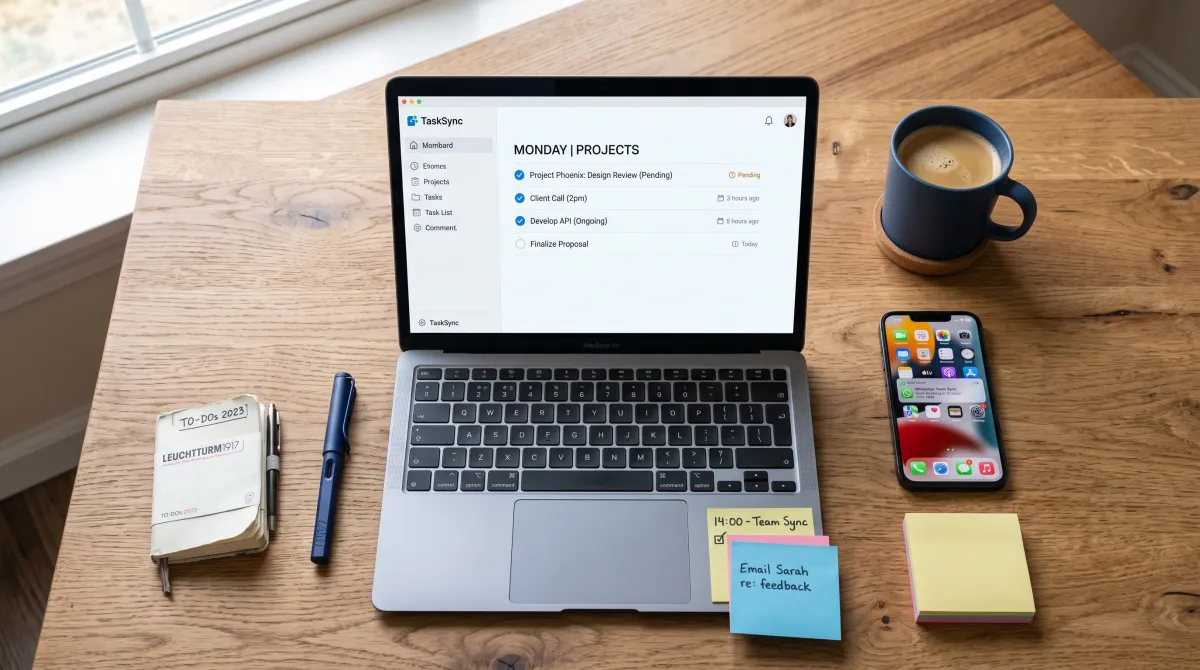
Before comparing brands, it helps to see the market as categories. Most teams need two or three of these, not all eight. If your gap is coordination rather than software, our guide to the steps of delegation may fix more than a new app would.
The 8 categories of team productivity software
1. Work and project management
This is the backbone: tasks, projects, deadlines, and views like boards, lists, and timelines. Strong task management is what separates these tools from a shared to-do list. ClickUp, Asana, and monday.com lead here in 2026.
ClickUp Unlimited starts at $7 per member each month on annual billing, with Business at $12 for goals, workload, and native time tracking. monday.com Basic is $9 per seat, Standard $12, and Pro $19, all billed annually. Asana Starter runs $10.99 per user and Advanced $24.99.
2. Team communication
Chat and calls replace endless email threads. Slack Pro is $7.25 per active user each month on annual billing, and Business+ sits at roughly $15 per user on monthly billing after a 2025 change that bundled AI features.
Microsoft Teams ships inside Microsoft 365, so you buy the suite, not the chat app alone. Business Basic is about $6 per user each month and includes Teams, Outlook, and web Office apps.
Good habits still matter more than the tool. Weak workplace communication will sink any platform you pick.
3. Docs and knowledge
Wikis, notes, and shared documents keep decisions findable. Notion is the popular pick: Free for individuals, Plus at $10 per member, and Business at $18 with Notion AI now bundled in.
The 2026 change matters. Notion AI is no longer a separate add-on on Business, so the effective value improved even though the sticker moved up.

4. Time tracking
Time data tells you where hours actually go, which is gold for agencies and client work. Clockify and Toggl offer generous free tiers, and ClickUp Business folds tracking into the work hub so you avoid a second login.
5. File storage and sharing
Shared drives keep files versioned and permissioned. Google Workspace and Microsoft 365 both include storage, which is why many teams treat one of them as the base layer.
6. Visual collaboration and whiteboarding
Product, design, and strategy teams think visually. Miro is the standard: Free for three boards, Starter at $10 per user, and Business at $20. It shines for workshops and planning that a task list cannot capture.
7. Automation and integration
Automation removes repetitive handoffs, like moving a task when a form is submitted. Many hubs include no-code automations, and standalone tools connect apps that do not talk to each other natively.
8. All-in-one suites
Suites bundle several categories under one bill. Google Workspace Business Standard is $18 per user each month after the 2025 hike, with email, storage, and Gemini across apps. Microsoft 365 Business Standard lands around $14 to $16 with desktop Office and Teams.
The winning stack is not the one with the most tools. It is the fewest tools that still cover who, where, and what next.
2026 pricing at a glance
Prices below are per user each month on annual billing unless noted, verified against vendor pages in 2026. Confirm before you buy, since these platforms adjust AI add-ons often.
| Software | Category | Free plan | Entry paid | Higher tier |
|---|---|---|---|---|
| ClickUp | Work management | Yes | $7 (Unlimited) | $12 (Business) |
| Asana | Work management | Up to 2 users | $10.99 (Starter) | $24.99 (Advanced) |
| monday.com | Work management | Yes | $9 (Basic) | $19 (Pro) |
| Notion | Docs and knowledge | Yes | $10 (Plus) | $18 (Business, AI bundled) |
| Slack | Communication | Yes | $7.25 (Pro) | ~$15 (Business+) |
| Microsoft 365 | Suite | No | ~$6 (Basic) | ~$14-16 (Standard) |
| Google Workspace | Suite | No | $8 (Starter) | $18 (Standard) |
| Miro | Whiteboarding | 3 boards | $10 (Starter) | $20 (Business) |
How to choose team productivity software
Do not start with a feature checklist. Start with the one problem that costs your team the most time this month.
If tasks slip through cracks, buy a work-management hub first. If people cannot find answers, buy a docs tool. If meetings sprawl, a communication and async tool pays off fastest.
Then apply three filters that separate a good fit from an expensive mistake.
Match it to your stack
Check native integrations with the apps you already run. A tool that syncs with your calendar, storage, and CRM removes manual copying and reduces errors.
Model the real bill
List price is rarely the final price. Watch three traps: ClickUp and Notion require the whole workspace on the same plan, monday.com enforces a three-seat minimum sold in blocks of five, and AI features often cost extra on top of the seat.
Pilot before you commit
Run a two-week trial with one team and a real project. Adoption, not the demo, decides value. If people quietly return to email during the pilot, the tool lost.
For a deeper hands-on comparison, our tested roundup of team productivity tools walks through nine picks with free-plan limits.
Common mistakes to avoid
The biggest mistake is tool sprawl: buying a new app for every gap until nobody knows where work lives. Each added tool multiplies context switching, which quietly drains the productivity you paid for.
The second is skipping onboarding. Even the best workplace software fails without clear ownership, naming conventions, and a short setup guide the team actually reads.
The third is ignoring how the team already works. Software should support your existing handoff process, not force a rigid one that people route around.
Build a lean stack, then stop
Most teams are well served by three tools: a work-management hub, one communication app, and a suite for email and storage. That trio covers who, where, and what next without overlap.
Add a fourth tool only when a specific, recurring pain justifies it, like time tracking for billable work or whiteboarding for design. Discipline here is the real productivity gain.
Teams that run lean and clarify ownership consistently outperform teams with the fanciest stack, a pattern also seen in self-managed teams.
Related guides
FAQ
What is team productivity software?
Team productivity software is any tool that helps a group plan work, communicate, and track progress in one shared place. It spans work management, chat, docs, time tracking, storage, whiteboarding, automation, and all-in-one suites.
How much does team productivity software cost in 2026?
Entry paid plans run roughly $7 to $12 per user each month on annual billing. Suites like Google Workspace start at $8 and Microsoft 365 Business Basic near $6, bundling email and storage. AI add-ons can raise the real bill.
What is the best team productivity software for small teams?
For small teams, ClickUp and monday.com offer strong free or low-cost entry plans for work management, paired with Slack Pro at $7.25 per user for chat. Asana has no seat minimum, which suits very small teams.
Do I need separate tools or an all-in-one platform?
Most teams do best with a small stack: one work hub, one communication app, and one suite for email and storage. All-in-one suites reduce billing complexity, but a dedicated hub usually beats a suite at project management.
How do I get my team to actually use the software?
Run a two-week pilot with one real project, assign clear ownership, and set naming conventions. Adoption depends on habits and onboarding far more than on the feature list.