Software
HighLevel CRM Review (2026): Pricing, Pros, Real Setup Time
HighLevel CRM in 2026: three pricing tiers, bundled AI tools, and the real setup time agencies need before it replaces five separate subscriptions.

Picking HighLevel CRM means betting on one platform to replace your CRM, funnel builder, email tool, and social scheduler at once. I have run client accounts on it for over a year, and here is what actually holds up in 2026.
Quick answer
HighLevel CRM (built by HighLevel, formerly branded GoHighLevel) is an all-in-one CRM, funnel, and marketing automation platform starting at $97 a month for agencies. It replaces 5 to 8 separate subscriptions, but budget real time for setup and expect usage-based SMS and email fees on top of the flat price.
Key takeaways
- Three flat tiers in 2026: Starter $97/mo, Unlimited $297/mo, Pro (SaaS) $497/mo, all with unlimited contacts and users.
- Every plan, even Starter, ships the full CRM, unlimited funnels, a website builder, and a social planner.
- The big 2026 upgrade is the AI layer: Conversation AI, Voice AI, and Content AI now sit inside the same subscription.
- Email deliverability (LC Email, built on Mailgun) is the most common complaint, so plan real time for DNS setup.
- Agencies pick Unlimited for white-label sub-accounts; solo operators rarely need more than Starter.
What Is the Best HighLevel CRM Plan?
HighLevel CRM launched in 2018, built by agency owners for agency owners. By 2026 it runs more than 600,000 accounts, mostly marketing agencies and consultants who got tired of juggling five or six separate tools.
Every plan runs on the same core: CRM pipelines, unlimited funnels, a website builder, workflow automation, and unlimited contacts and users. Starter is not a stripped-down demo, it is the full platform capped at three sub-accounts. For the wider picture, our software review hub compares it against other business platforms.
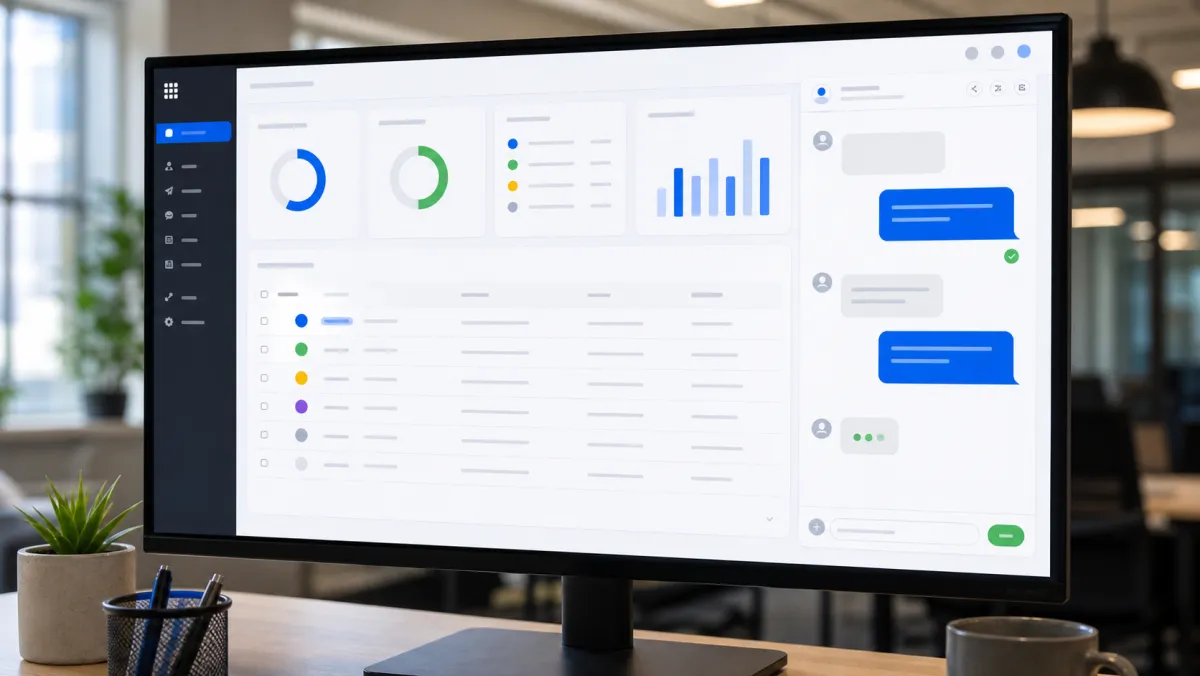
HighLevel CRM AI Tools in 2026
The biggest change since the platform's early years is the AI layer bundled into every subscription. Conversation AI answers leads over SMS and chat around the clock, while Voice AI takes inbound calls and books appointments on its own.
Content AI drafts emails and funnel copy, and Workflow AI suggests automation fixes once it sees where sequences stall. None of this is optional add-on pricing, it ships inside the same $97 to $497 range.
The tradeoff is a real learning curve. G2 rates HighLevel's ease of setup around 7.4, noticeably lower than a simple sales CRM, and most teams need six to eight weeks before they run the platform confidently.
Best HighLevel CRM Plans Compared
Here is the honest breakdown after running client accounts across all three tiers. Figures reflect 2026 list pricing, with roughly 17 percent off if you commit annually instead of paying monthly.
| Plan | Price | Sub-accounts | API access | White label | Rebilling |
|---|---|---|---|---|---|
| Starter | $97/mo | 3 | No | No | No |
| Unlimited | $297/mo | Unlimited | Yes | Yes | No |
| Pro (SaaS) | $497/mo | Unlimited | Yes | Yes | Yes, with markup |
Starter suits a single business or your first client account. Unlimited earns its price the moment you run more than one sub-account and want your own branding instead of the HighLevel logo everywhere.
Best for agencies replacing multiple tools
HighLevel CRM From $97/mo
The strongest pick when you need CRM, funnels, email, SMS, and a social planner under one flat bill instead of five separate invoices.
Pros
- Unlimited contacts and users on every tier
- White label and sub-accounts from Unlimited up
- AI tools bundled, not billed separately
Cons
- Steep setup curve, six to eight weeks to feel fluent
- Email deliverability trails dedicated ESPs
- Usage fees for SMS and AI stack on top
Beyond the CRM, HighLevel doubles as a free website builder. The same drag-and-drop editor that builds funnels also builds full multi-page sites with blogs and custom domains, so agencies skip a separate WordPress bill.
The Snapshot system also works as light project tracking tools, letting you template an entire client setup, pipeline, workflows, and funnel, then clone it for the next account in minutes.
For social media, the built-in planner covers scheduling and basic reporting across the major networks. It is not a replacement for Sprout Social if you manage dozens of brand accounts with deep listening needs.
Agencies running a social sprout style workflow for enterprise clients usually keep Sprout Social for that job and use HighLevel for everything else, from CRM to funnels.
Against standalone tools, HighLevel trades some polish for breadth. Pipedrive is faster to learn and has a deeper integration library, while ActiveCampaign still wins on raw email deliverability at smaller list sizes.
HighLevel usually wins once a team passes three or four seats, since it folds funnels, SMS, and sub-accounts into one flat bill instead of stacking several vendor invoices.
HighLevel CRM does not make you a better marketer, it just removes the excuse of a messy tech stack.
Pros and Cons of HighLevel CRM
The consolidation is the real win. For agencies juggling five to ten subscriptions, folding them into one flat-priced account saves real money and removes constant integration headaches.
The CRM is powerful once configured, with Smart Lists that build dynamic segments from tags, custom fields, or pipeline stage in a couple of minutes, no export required.
The weak points are consistent across reviews: the funnel builder is not as refined as ClickFunnels, the CRM feels less intuitive than Pipedrive at first, and deliverability needs manual DNS work to get right.
Migrating a live agency onto HighLevel takes real planning, not a weekend. Most teams run it alongside their old CRM for two to four weeks, moving one client pipeline at a time so mapping errors get caught early instead of breaking a live campaign.
HighLevel CRM Examples
Software never lives alone. HighLevel CRM sits inside a wider stack, and the smart move is choosing pieces that talk to each other instead of fighting for the same job.
HighLevel is not hr software, and none of the hr softwares agencies compare it against cover payroll or benefits. Pair it with a dedicated HR tool for that, and let HighLevel's workflow builder act as a lightweight task management app for client-facing work only.
For shift-based teams, HighLevel is also no substitute for a real employee scheduling app. Its calendar module covers client bookings and appointment reminders well, but it was never built to manage hourly staff rosters.
Many owners pair HighLevel with the wider toolkit covered in our productivity tools for teams guide, since the CRM alone was never meant to run every part of an agency.
A database full of client data is also a common phishing target, so keep a security software subscription active and review access permissions every quarter.

How to Choose HighLevel CRM
- Count your sub-accounts. One client or your own business, Starter covers it. Two or more, move to Unlimited.
- Decide on white label. Only Unlimited and Pro let you rebrand the dashboard as your own product.
- Check the AI usage costs. Voice AI and Conversation AI bill per use on top of the flat subscription.
- Budget for deliverability work. Plan a week to configure DNS records properly for LC Email.
HighLevel is not a free password manager either, so keep a dedicated one for your team's logins no matter which tier you pick. Paying the subscription on a card that reports to the bureaus also helps your business credit score, tracked by the three major credit bureaus.
Some agencies also lean on membership perks for office supplies. A costco membership business tier gives discounts from Costco, and knowing your nearest costco business center locations saves a trip when you need bulk printer paper or hardware.
Checking costco business centers locations near you takes two minutes before a bulk run. None of it replaces good software, but every dollar saved funds the tools that actually grow the business.
Culture counts too. Read our note on good manager reviews to keep your team happy while you roll out a new platform.
Related guides
HighLevel CRM FAQ
What are the best business credit cards for funding a HighLevel CRM subscription?
The best business credit cards for recurring software spend reward subscriptions specifically. Chase Ink, Amex Business, and Capital One Spark lead most 2026 rankings for cash back on software and office categories.
Is there one best business credit card for a new agency?
There is no single best business credit card, since the right one depends on spend patterns. New agencies often start with a secured card to build history, then move to a rewards card once approved.
Which are the best credit cards business owners actually use for tools like this?
The best credit cards business owners use pair simple rewards with reporting to bureaus. Flat-rate cash-back cards suit a lean stack, while tiered cards reward heavier software and travel spend.
How do I compare the best credit card business options before paying for software?
Compare the best credit card business options by annual fee, reward category, and whether it reports to build your credit score. Match the card to where your agency actually spends money.
Where can I find top rated business credit cards in 2026?
Top rated business credit cards appear on issuer sites and independent review roundups updated for 2026. Filter by your biggest expense category, then confirm current terms directly with the issuer.