Software
Best Employee Scheduling Software (2026): 6 Tools Tested
We tested 6 employee scheduling software tools on real rosters. Compare Homebase, When I Work, Deputy, Sling, 7shifts and Connecteam pricing to find your fit.

Quick answer
The best employee scheduling software depends on how you pay. Homebase wins for single-location small businesses on its per-location model, When I Work is the cheapest per-user pick for simple shift teams, and Deputy is strongest for multi-location compliance. Sling and 7shifts fit restaurants, while Connecteam suits deskless field crews.
Key takeaways
- Pricing model matters more than sticker price: per-location favors big single-site teams, per-user favors small or spread-out ones.
- Homebase is free for one location and up to 20 employees, then Essentials runs $24.95/month per location.
- When I Work starts at $2.50/user for a single location, with time tracking included, not a paid add-on.
- Deputy leads on labor-law compliance, priced Lite $5, Core $6.50, and Pro $9 per user, with a $30 monthly floor.
- Sling and 7shifts are restaurant-first; Sling's free plan covers up to 30 employees.
Picking employee scheduling software looks simple until you build the first roster and the tool fights you. We ran the six most common platforms through the same test: build a two-week schedule, handle a shift swap, and track a clock-in. The winners weren't the ones with the longest feature list.
The biggest trap is pricing structure. Two tools can advertise similar features, yet one costs triple for your exact team shape. Getting this right is part of building healthy workplace expectations around hours and coverage. Below is how each platform prices, where it shines, and where it stalls, verified against current 2026 vendor pricing.
Don't buy on features. Buy on how the pricing model matches your headcount and number of locations.
How employee scheduling software pricing works

Every tool here falls into one of two camps. Per-location pricing charges a flat fee per site, no matter how many people work there. Per-user pricing charges for each active employee, wherever they clock in.
The math flips with your setup. A 20-person restaurant at one address pays less on a per-location plan. A 40-person team spread over eight tiny sites often pays less per user. Map your headcount against your locations before you compare a single feature.
| Platform | Pricing model | Starting paid price | Free plan | Best for |
|---|---|---|---|---|
| Homebase | Per location | $24.95/location/mo | 1 location, up to 20 staff | Single-site small business |
| When I Work | Per user | $2.50/user/mo | Trial only | Simple shift teams |
| Deputy | Per user | $5/user/mo | Trial only | Multi-location compliance |
| Sling | Per user | $1.70/user/mo | Up to 30 employees | Small restaurants |
| 7shifts | Per location | $34.99/location/mo | 1 location, up to 20 staff | Restaurant groups |
| Connecteam | Per hub | $35/mo per hub | Up to 10 employees | Deskless field teams |
Homebase: best all-in-one for single-site shops
Best for single-location small business
Homebase Free / from $24.95/location/mo
The free tier alone covers scheduling, time tracking, and team messaging for up to 20 employees at one location, which is why so many cafes and retail shops start here and never leave.
Pros
- Genuinely useful free plan
- Bundles hiring, HR, and time clock
- Payroll available as an add-on
Cons
- Per-location cost stacks fast across sites
- Advanced reports need the Plus plan
Homebase is built for hourly staff at one address. Paid tiers run Essentials at $24.95/month, Plus near $56, and an All-in-One plan near $96, all per location with unlimited employees. Annual billing shaves about 20%.
Run three locations and you pay three fees, so the value drops for multi-site operators. If your team already leans on a wider stack of team productivity tools, Homebase slots in cleanly with its payroll and HR add-ons.
When I Work: cheapest simple per-user option
Best for fast, simple adoption
When I Work From $2.50/user/mo
Setup is the fastest of the group. Managers move off spreadsheets in an afternoon, and built-in messaging lets staff coordinate without swapping personal phone numbers.
Pros
- Lowest per-user entry price
- Time tracking included, no add-on upsell
- Clean mobile app staff actually use
Cons
- No permanent free plan, trial only
- Multi-location features cost double
When I Work simplified to two plans. Single Location runs $2.50/user and Multiple Locations runs $5/user, adding custom reports, labor forecasting, and role permissions. Time and attendance is built into both, a real differentiator since rivals charge extra for clock-ins.
The built-in messaging also props up day-to-day workplace communication, which is what keeps swaps from turning into no-shows. There is no free tier now, only a 14-day trial.
Deputy: best for multi-location compliance
Best for compliance-heavy operations
Deputy From $5/user/mo
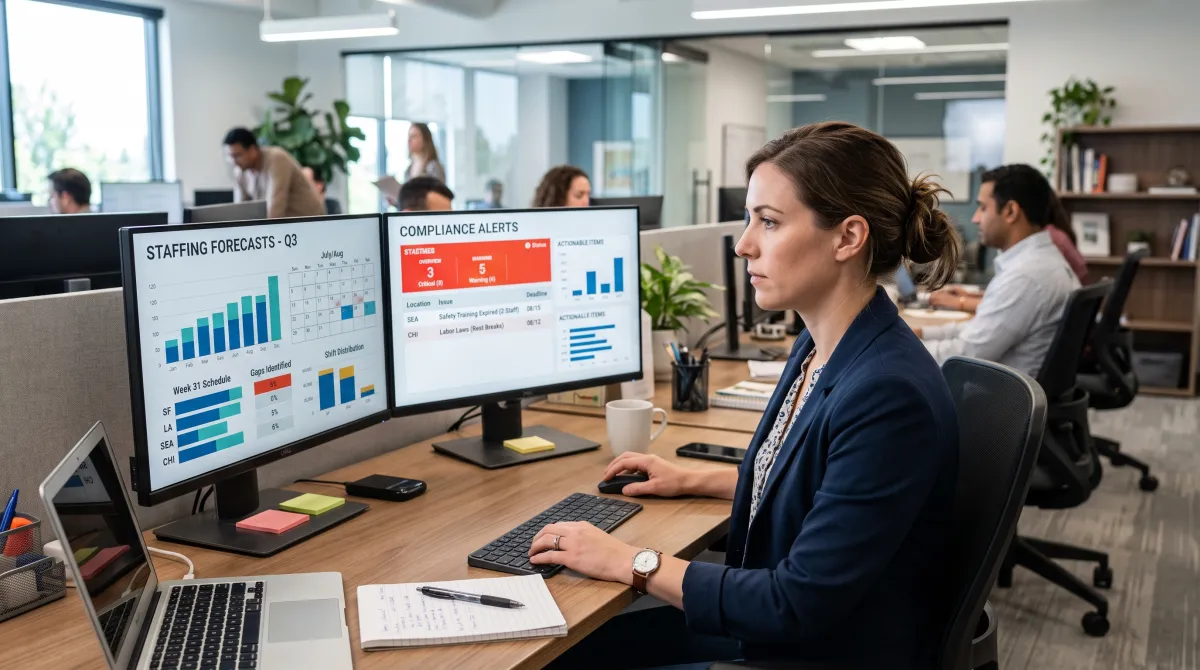
Deputy serves shift teams that cross state lines and labor-law jurisdictions. Its auto-scheduler and demand forecasting keep staffing tight while flagging compliance risks automatically.
Pros
- Strong labor-law compliance automation
- Full-feature trial to test at scale
- Scales cleanly across many sites
Cons
- $30/month minimum spend hits tiny teams
- Counts every admin and supervisor as a paid user
Deputy's current plans are Lite at $5/user, Core at $6.50, and Pro at $9. For a 10-person team that lands between $50 and $90 a month, fair when a compliance mistake carries real fines. A $30 monthly minimum spend applies from September 2025, which stings very small crews, and Deputy bills for anyone with an account, not just active staff.
Sling and 7shifts: restaurant-first scheduling
Both target hospitality but lean opposite ways. Sling, owned by Toast, is hands-on and manual, which suits an owner who wants direct control. Its free plan is unusually generous, covering up to 30 employees with scheduling, templates, and shift swaps across multiple locations, though clock-ins need a paid tier.
Sling's paid tiers stay cheap: Premium at $1.70/user (annual) adds mobile time tracking and labor-cost tools, and Business at $3.40/user adds kiosk clock-in, reports, and PTO management. That keeps a small roster well under $100 a month.
7shifts leans on automation for larger restaurant groups. Its free Comp plan handles one location and up to 20 staff, while paid plans from about $34.99 per location add time clocking and reporting, climbing through The Works near $76.99 to Gourmet at $150. Choose 7shifts for full-service sites with big teams under one roof and deep Toast integration.
Connecteam: best for deskless field teams
Connecteam splits its product into Operations, Communications, and HR hubs, each billed separately. The free Small Business plan covers up to 10 employees with full access, and paid hubs run Basic at $35/month, Advanced at $59, and Expert at $119 for the first 30 users, then charge per user above that.
It fits construction, cleaning, and field crews that need scheduling plus checklists and forms in one app more than a single-site cafe. Just price the hubs you actually need, since stacking all three multiplies the bill.
How to choose the right tool
Start with your structure, not the feature grid. Count your employees and your locations, then test the two pricing models against those numbers. The right tool should shrink the admin load, not add to it.
Scheduling is only one piece of managing hourly staff well. The Fair Labor Standards Act sets the overtime and recordkeeping rules your software should help you meet, so favor a tool whose compliance features match the jurisdictions you operate in.
Related guides
Frequently asked questions
What is the best free employee scheduling software?
Homebase and Sling offer the strongest free plans. Homebase is free for one location and up to 20 employees, while Sling's free tier supports up to 30 employees with real scheduling, though it excludes mobile clock-ins.
Is per-user or per-location pricing cheaper?
Per-location pricing is usually cheaper for larger teams at a single site, like a busy restaurant. Per-user pricing tends to win when you have many locations with only a few employees at each one.
Does employee scheduling software include time tracking?
Not always. Homebase, When I Work, Deputy, and 7shifts bundle time tracking into their plans, while Sling keeps mobile clock-ins behind paid tiers. Confirm the exact tier before you buy.
Which scheduling software is best for restaurants?
7shifts and Sling are built for restaurants. 7shifts suits larger multi-location groups needing automation, tip pooling, and Toast integration, while Sling fits smaller restaurants where an owner wants hands-on control.