Software
Team Scheduling Software: 6 Tools Compared (2026 Prices)
Homebase, When I Work, Deputy, Connecteam, Sling, and 7shifts compared on real 2026 pricing. See which team scheduling software fits your team's shape.
Quick answer
The best team scheduling software depends on how your team works, not just its size. Homebase suits a single-site crew, When I Work wins on low per-user cost, Deputy handles multi-location compliance, and Connecteam covers deskless field teams that also need HR tools and checklists.
Key takeaways
- Team scheduling software splits into per-location, per-user, and per-hub pricing, and picking the wrong model can double your bill.
- Homebase is free for one location with up to 10 staff, then Essentials runs $30/month ($24 billed annually).
- When I Work starts at $2.50/user/month for a single location, the cheapest per-user entry price in this group.
- Deputy's Core plan at $6.50/user adds auto-scheduling and demand forecasting, though a $30 monthly minimum applies to every paid plan.
- Connecteam's free Small Business plan covers up to 10 users across scheduling, messaging, and HR, but paid tiers bill per hub.
Picking team scheduling software gets confusing once every vendor promises the same thing: fewer no-shows, less spreadsheet chaos, and a schedule everyone can actually see. The real differences show up in pricing structure and in how each tool handles shift swaps, time-off requests, and multi-location coverage.
We priced six of the most common tools against the same scenario, a 15-person team split across one or two locations, checking each vendor's live 2026 pricing page rather than old marketing copy. Below is what each one actually costs, where it fits, and how it holds up on real workplace expectations around coverage.
How team scheduling software pricing actually works
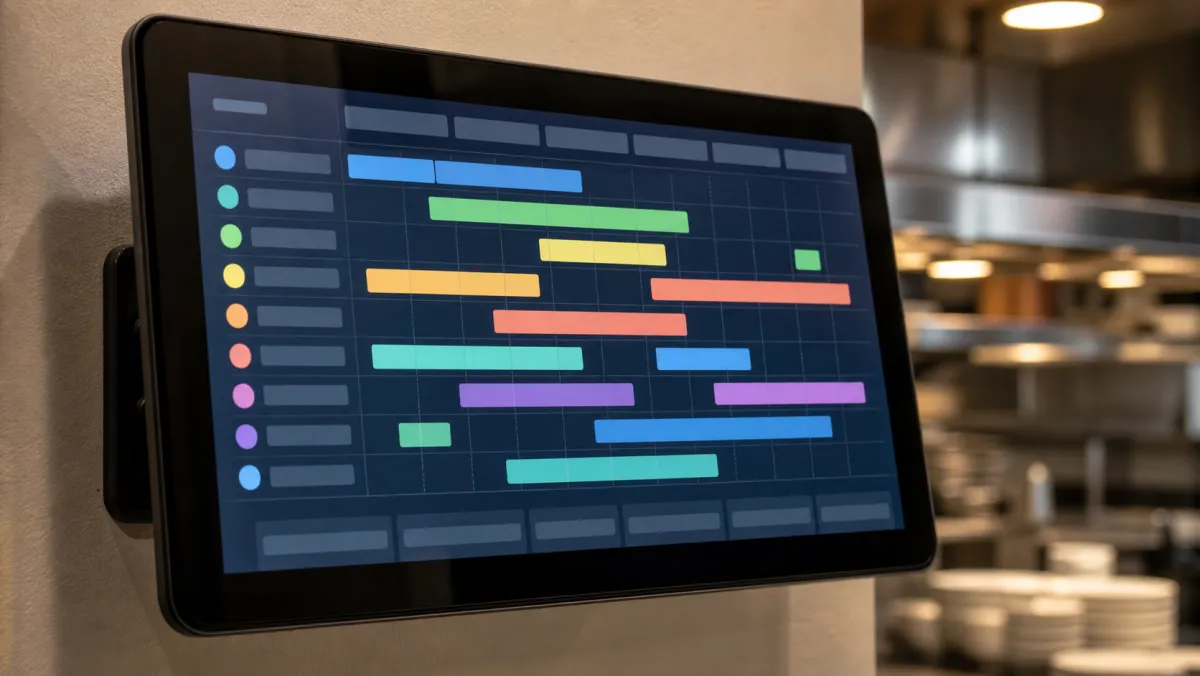
Every platform here uses one of three pricing shapes. Per-user pricing charges for each active employee. Per-location pricing charges a flat fee per site no matter how many people work there. Per-hub pricing, which Connecteam popularized, bills separately for scheduling, communication, and HR features.
The shape that wins depends on your shape. A single busy site with twenty staff usually pays less on a per-location plan. A ten-person team spread across five small sites usually pays less per user. Map your headcount against your locations before comparing feature lists.
| Platform | Pricing model | Starting paid price | Free plan | Best for |
|---|---|---|---|---|
| Homebase | Per location | $30/location/mo | 1 location, up to 10 staff | Single-site teams |
| When I Work | Per user | $2.50/user/mo | Trial only | Simple shift teams |
| Deputy | Per user | $5/user/mo | Trial only | Multi-location compliance |
| Connecteam | Per hub | $29/mo per hub | Up to 10 users | Deskless field teams |
| Sling | Per user | $1.70/user/mo | Up to 30 employees | Small restaurants |
| 7shifts | Per location | ~$35/location/mo | 1 location, up to 20 staff | Restaurant groups |
Homebase: built for one location done well
Best for a single-site crew
Homebase Free / from $30/mo
Homebase still leads for a one-location team that wants scheduling, time tracking, and messaging without stitching three tools together.
Pros
- Free plan covers 10 staff at one site
- Payroll add-on skips a second vendor
- AI scheduling assistant on the Plus tier
Cons
- Multi-location teams pay per site
- Advanced permissions need the Plus or All-in-One tier
Homebase's Basic plan is free for one location and up to 10 employees, covering scheduling, time tracking, and a built-in messaging hub. Paid tiers move to Essentials at $30/month ($24 billed annually), Plus at $70/month ($56 annually), and All-in-One at $120/month ($96 annually), each unlimited on headcount.
Run three storefronts and you pay three separate subscriptions, so the free tier's appeal fades past one site. Pair it with solid team productivity tools for anything beyond hourly staff, since Homebase stays focused on shift work rather than projects.
Deputy: the compliance-first option
Best for multi-location compliance
Deputy From $5/user/mo
Deputy's auto-scheduler and demand forecasting hold up when shifts span several states or cities with different labor rules.
Pros
- Lite, Core, and Pro plans scale cleanly
- Auto-scheduling reacts to demand swings
- Strong labor-law compliance alerts
Cons
- $30 monthly minimum spend on paid plans
- Bills every admin seat, not just active staff
Deputy's current plans run Lite at $5/user, Core, its most popular tier, at $6.50, and Pro at $9, each per user per month. Add-ons cover payroll, HR, messaging, and analytics separately, so a fully loaded account often costs more than the base rate suggests.
The cheapest plan on the pricing page is rarely the cheapest plan for your actual team shape.
When I Work and Connecteam: the low-cost and deskless picks
When I Work keeps things simple. Its Single Location plan runs $2.50/user/month and Multiple Locations runs $5/user, the cheapest per-user entry point on this list, though time tracking sits behind a separate add-on rather than a built-in feature.
Connecteam splits into Operations, Communications, and HR hubs, each billed on its own. A free Small Business plan covers up to 10 users with full features, and paid hubs start at $29/month, billed annually, for the first 30 users, climbing to $49 and $99 per hub at higher tiers.
Connecteam fits deskless crews, construction sites, and cleaning teams that need checklists and forms alongside a schedule more than it fits a single retail counter. Just price the hubs you actually need, since running all three at once easily clears $100 a month. It also folds into daily workplace communication habits your team already uses.
Sling and 7shifts: scheduling built around restaurants

Sling, owned by Toast, has an unusually generous free plan covering up to 30 employees with scheduling, shift swaps, and templates across multiple sites, though clock-ins sit behind a paid tier.
Paid Sling plans stay cheap. Premium runs about $1.70/user/month on annual billing for mobile time tracking, and Business runs about $3.40/user for labor-cost reporting and kiosk clock-ins, keeping a small team well under $100 a month.
7shifts leans toward larger restaurant groups, with a free Comp tier for one location and paid plans climbing from roughly $35/location toward $135/location on its top tier, adding tip pooling, labor forecasting, and deep POS integration along the way.
How to choose team scheduling software for your team
Start by counting people and sites, not features. A one-location shop should look at Homebase or Sling's free tier first. A crew spread across many small sites usually does better on a per-user plan like When I Work or Deputy.
If your team already leans on team collaboration tools for chat and files, look for a scheduler that pushes shift alerts into that same app instead of adding one more notification channel to check every morning.
Whatever you pick, the goal stays the same: fewer scheduling conflicts and a team that always knows its next shift. The Fair Labor Standards Act sets baseline overtime and recordkeeping rules, so favor a tool whose compliance features actually match where your team works.
Related guides
Frequently asked questions
What is the best team scheduling software for a small team?
For a single location with under 10 staff, Homebase and Sling both offer real free plans. Homebase covers scheduling and time tracking, while Sling adds shift swaps and templates for up to 30 employees.
Is per-user or per-location pricing better for team scheduling software?
Per-location pricing usually wins for one busy site with many staff, since the fee stays flat no matter how many people you add. Per-user pricing wins once your team spans several small locations.
Does team scheduling software include time tracking?
Not always. Homebase, Deputy, and 7shifts bundle time tracking into their core plans, while When I Work and Sling charge for it separately, so confirm the exact tier before you assume it is included.
Which team scheduling software works best for remote or hybrid teams?
Connecteam and When I Work both handle distributed teams well, since scheduling and messaging live in one mobile app staff can use from any location, not just a single job site.